- Role
- Senior UX/UI Designer · led the design system
- Team
- 2 designers, a product owner, front-end engineers, sales and customer support
- Timeline
- Aug 2021 → Sep 2022
- Tools
- Figma · Storybook
- Links
- eTsetera in Figma · article
TL;DR
Tset builds Cost, a cross-platform tool that helps cost engineers at enterprises like BMW with strategic planning, budget measurement and operational performance. After four years of fast growth the product had been designed by external agencies and then a junior designer: every new project started from scratch, the same components were rebuilt with slightly different styles, and readability suffered. As one of only two designers I owned design strategy and led the rebuild of the design system, eTsetera 2.0 — components, tokens, a site audit and Storybook QA — while we shipped new user-facing features on top of it.
What shipped
The work, before the story
Tables people can actually read
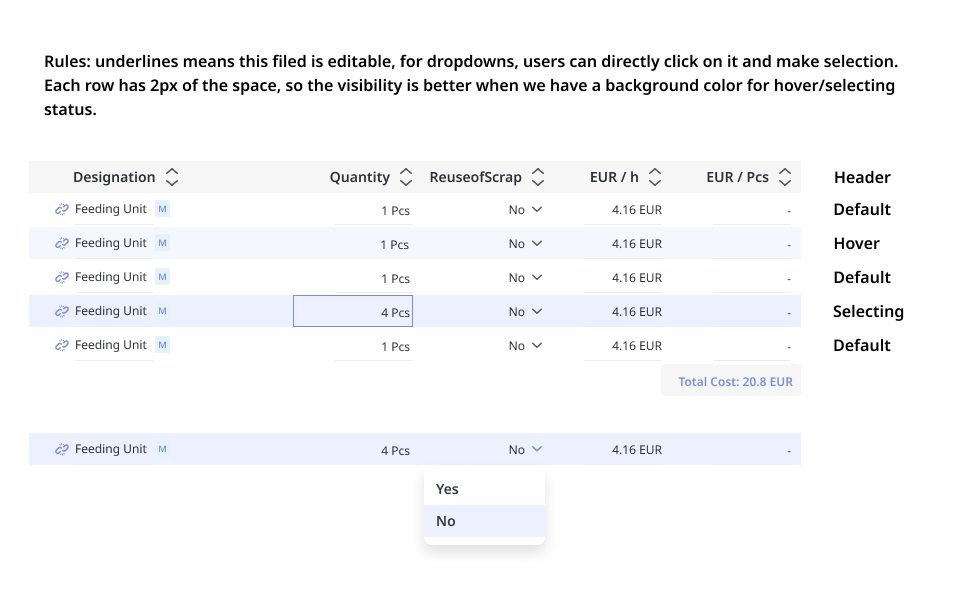
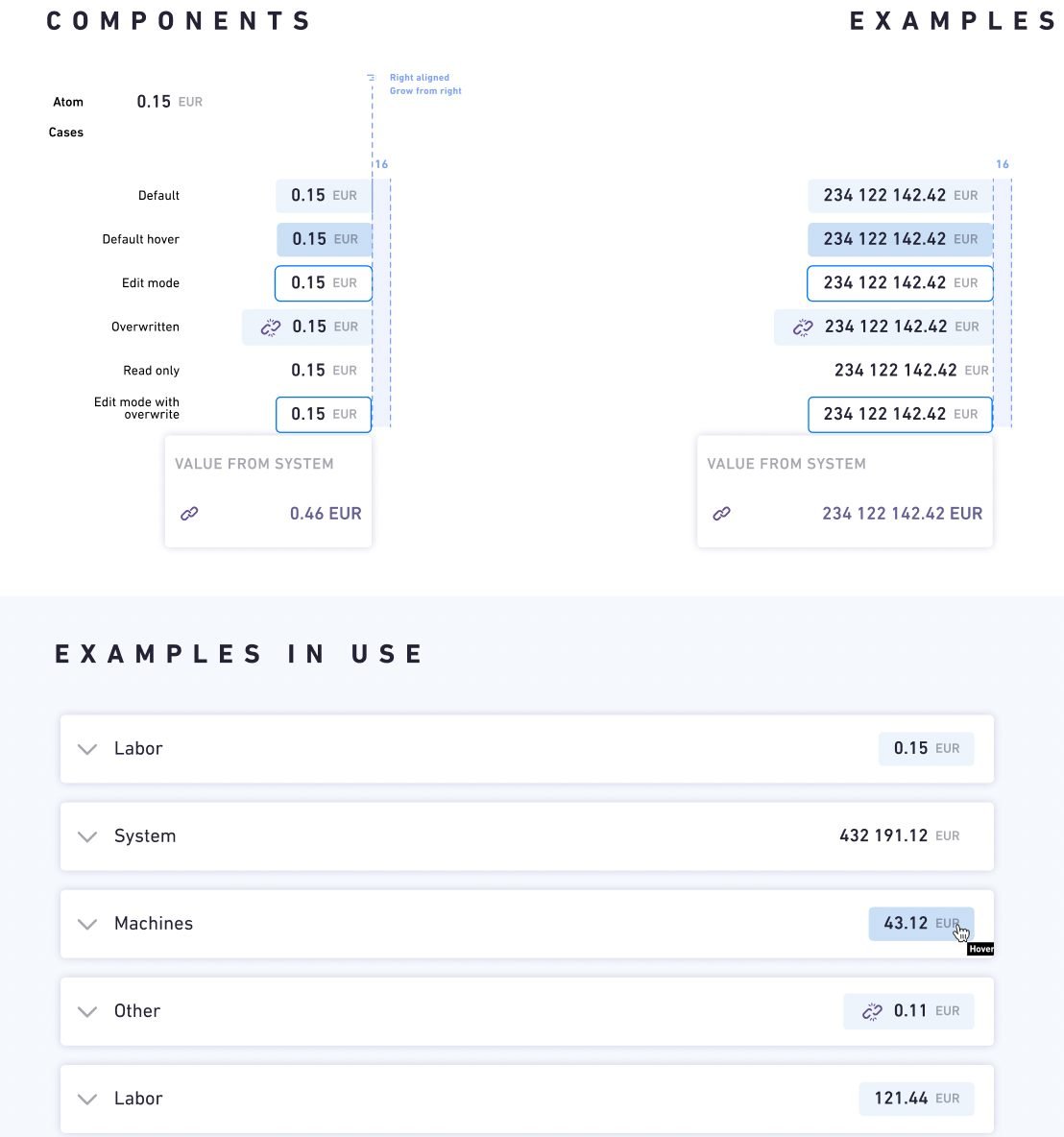
Cost is a table-heavy product. The new table component fixed density, alignment and editable-cell affordances that users had complained about.
Badges that still have colour — and now have meaning
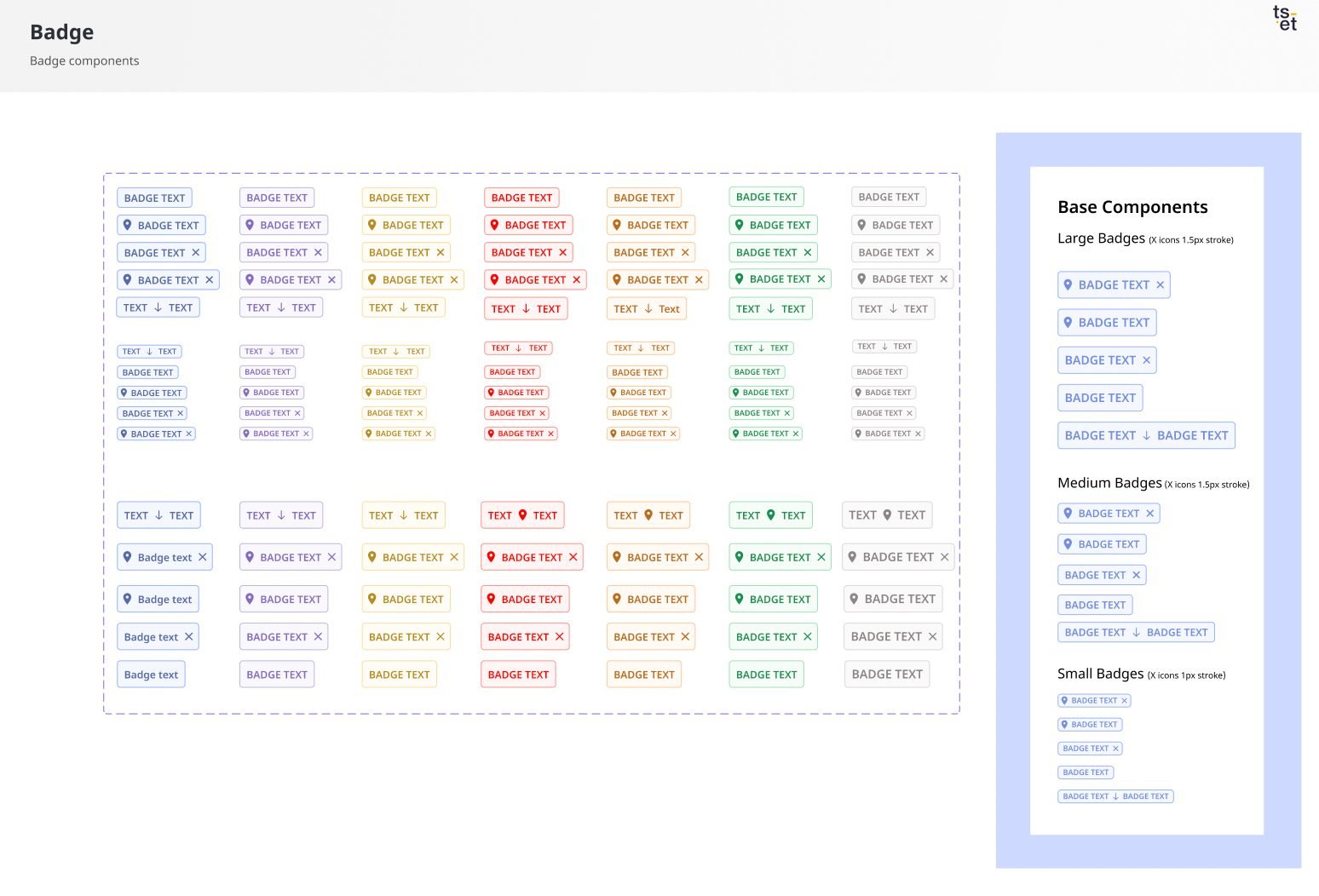
Status colours were re-mapped to the palette so every badge reads the same way across the product.

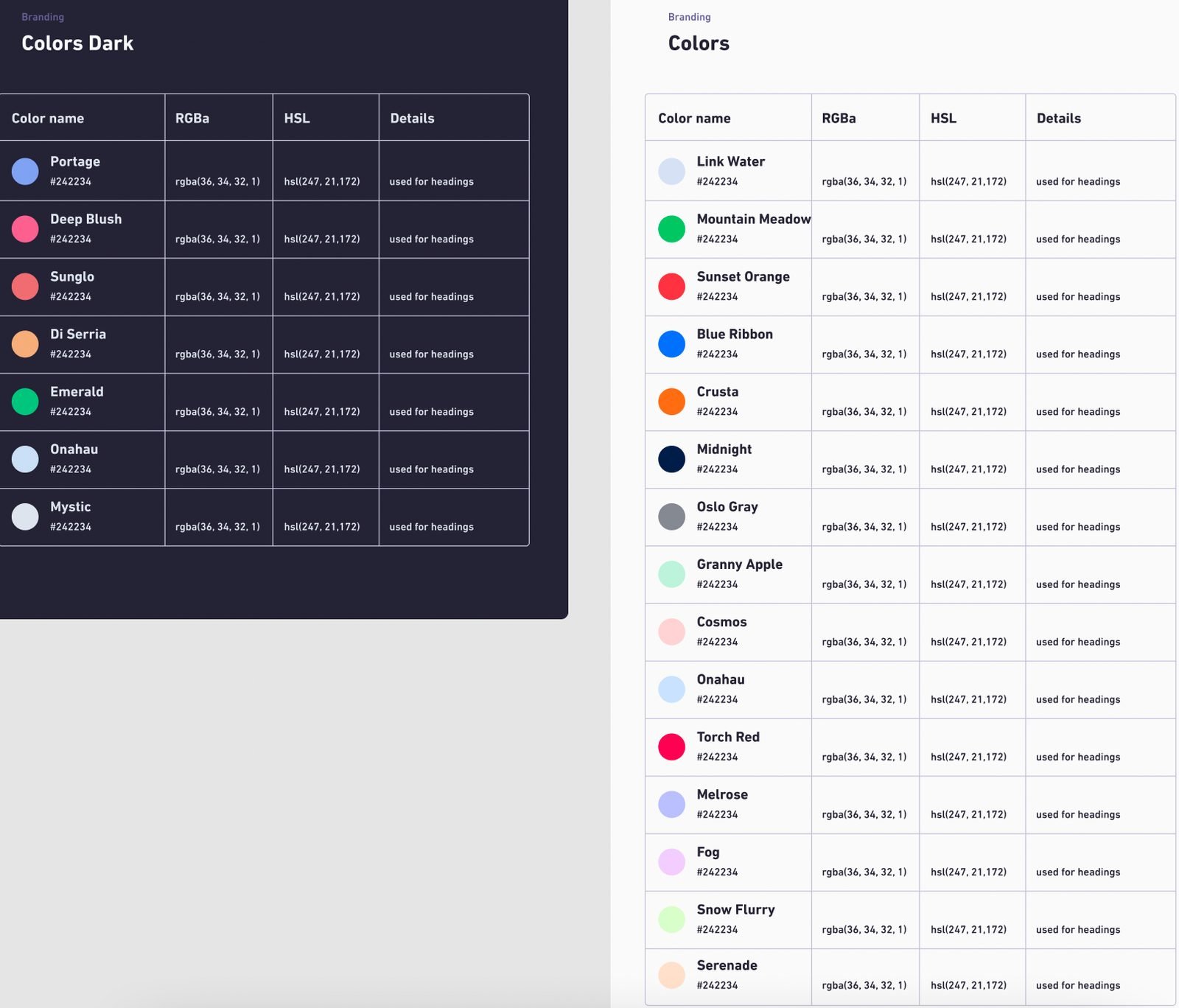
A palette engineers and PMs can use without asking
Every colour ships with a plain-language explanation of when to use it, so consistency stopped depending on a designer being in the room.
Context & problem
Designing the same component over and over
Every project started from zero, so the product looked like several products.
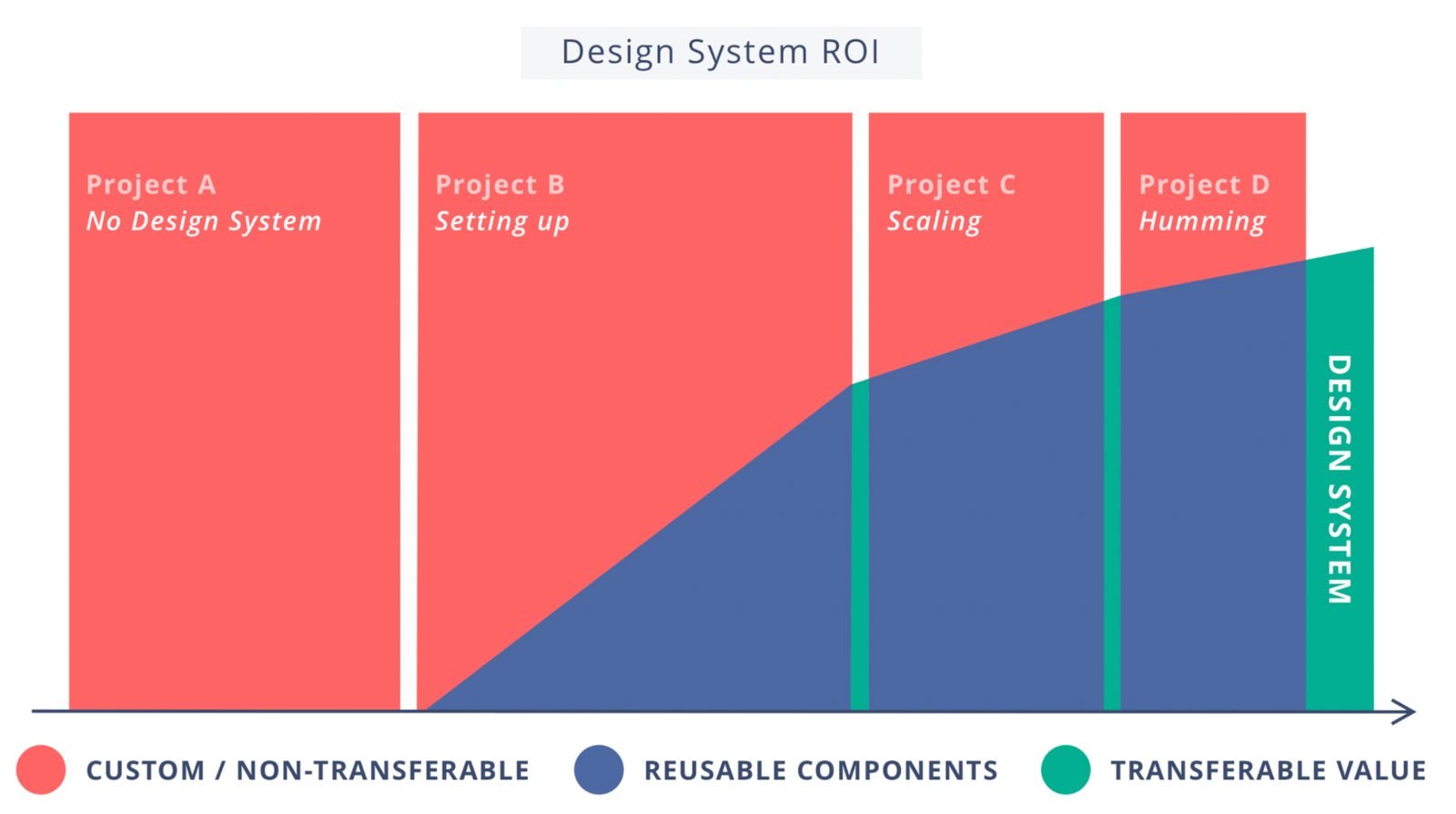
When I joined Tset, a young startup, the product team began each project or project stage from scratch. Each time that meant a new component library — the same components, redesigned with minor style changes to fit the feature. We were designing the same things repeatedly, with the look drifting every time.
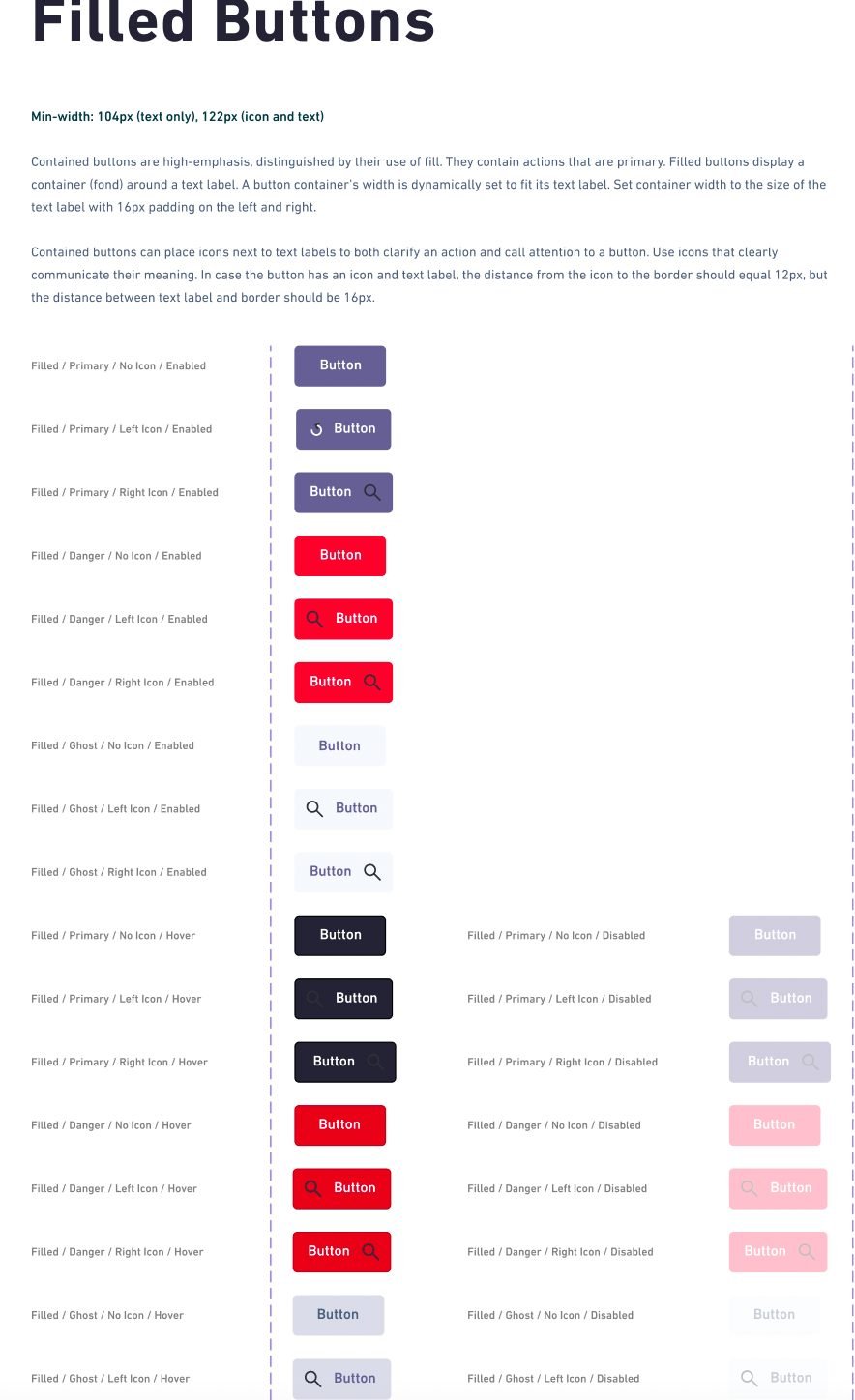
The old system showed the cost of that. Colours came from outside the palette, editable inputs were not obviously editable, contrast was too strong in places and too weak in others, and action buttons did not communicate their purpose.
Tset had grown quickly for four years. As it reached milestones such as working with BMW, branding and product perception became business problems, not just design ones. There were two designers — Pierre and me — to bring the product and brand back to life. Daunting, and exactly the kind of work a product designer should want to lead.
Goals
Aligned with the product owner over two quarters
Learn Cost without being a cost-engineering expert — clear wayfinding, consistent patterns.
Faster onboarding for enterprise users and fewer support tickets.
Read dense cost data comfortably: tables, badges and inputs that behave predictably.
Reduce redundant design and development work by building each component once.
Trust the product at first sight.
Brand perception that supports enterprise deals with clients like BMW.
We framed the objectives in four lines: the utilities of the product (strategic planning, helping cost engineers work, customer engagement, budget measurement, operational performance); fast benefits for the product and engineering roadmap; paths to success — information architecture, wayfinding, usability; and ease, clarity, consistency — less complexity in the system itself.
Discover
A full day with the people who use Cost
After gathering insights from customer support, mapping competitors’ patterns and a couple of brainstorming rounds, we needed users’ perspective on the opportunities we had found. With Jacob from sales we designed a full-day session of interviews and activities.
We opened with an icebreaker about how participants use Cost — features, usage patterns, key tools, issues. Then a card-sorting exercise: participants categorised activities, features and content, which showed us which components needed refining and how users grouped the product’s functions. Afterwards we discussed the resulting designs with the product owners and ran A/B tests to pick the versions that performed best in the system.
Design language
Type, colour and the components that mattered most
Tset’s brand colours, design concepts, navigation and product all had to form one visual language with a voice and personality. We got there through sketching, workshops and prototypes — and by being ruthless about a few foundations.
Typography
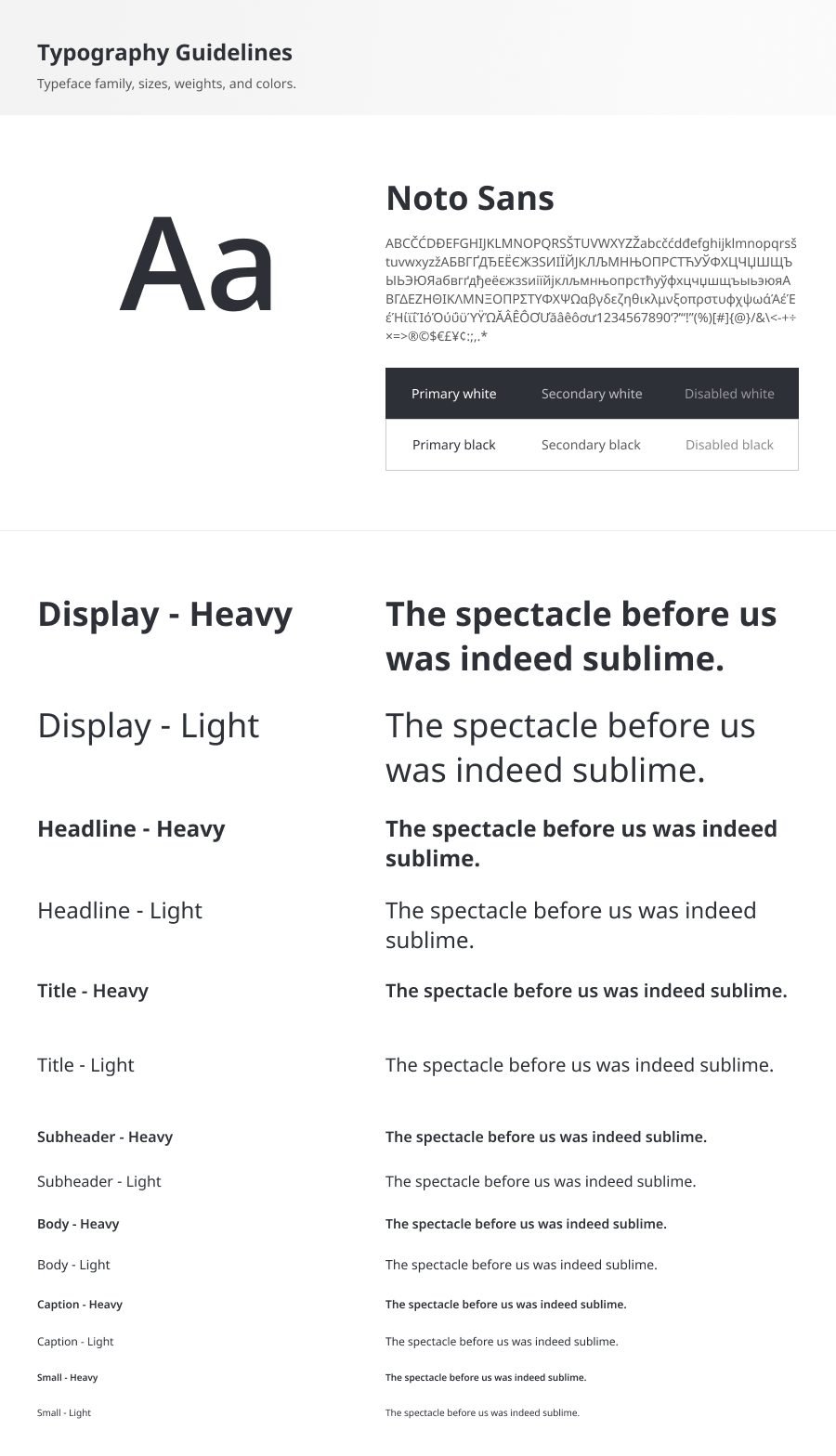
The old font was Din Next — dated, and troublesome to adapt in code. We replaced it with Noto Sans: open-source, made for the browser, with the weights and language coverage a data-dense product needs. The scale runs from Display to Small in a heavy and a light weight each.
Colour with instructions
The new palette ships with a clear explanation for front-end developers and product managers — not just hex values but when each colour is used. It is the cheapest way to keep a two-designer team from becoming the bottleneck.
Tables and badges
Before — dense rows, unclear editable cells.
After — readable table component with explicit edit affordances.
Before — strong contrast, unclear actions.
After — badges still colourful, now consistent and meaningful.
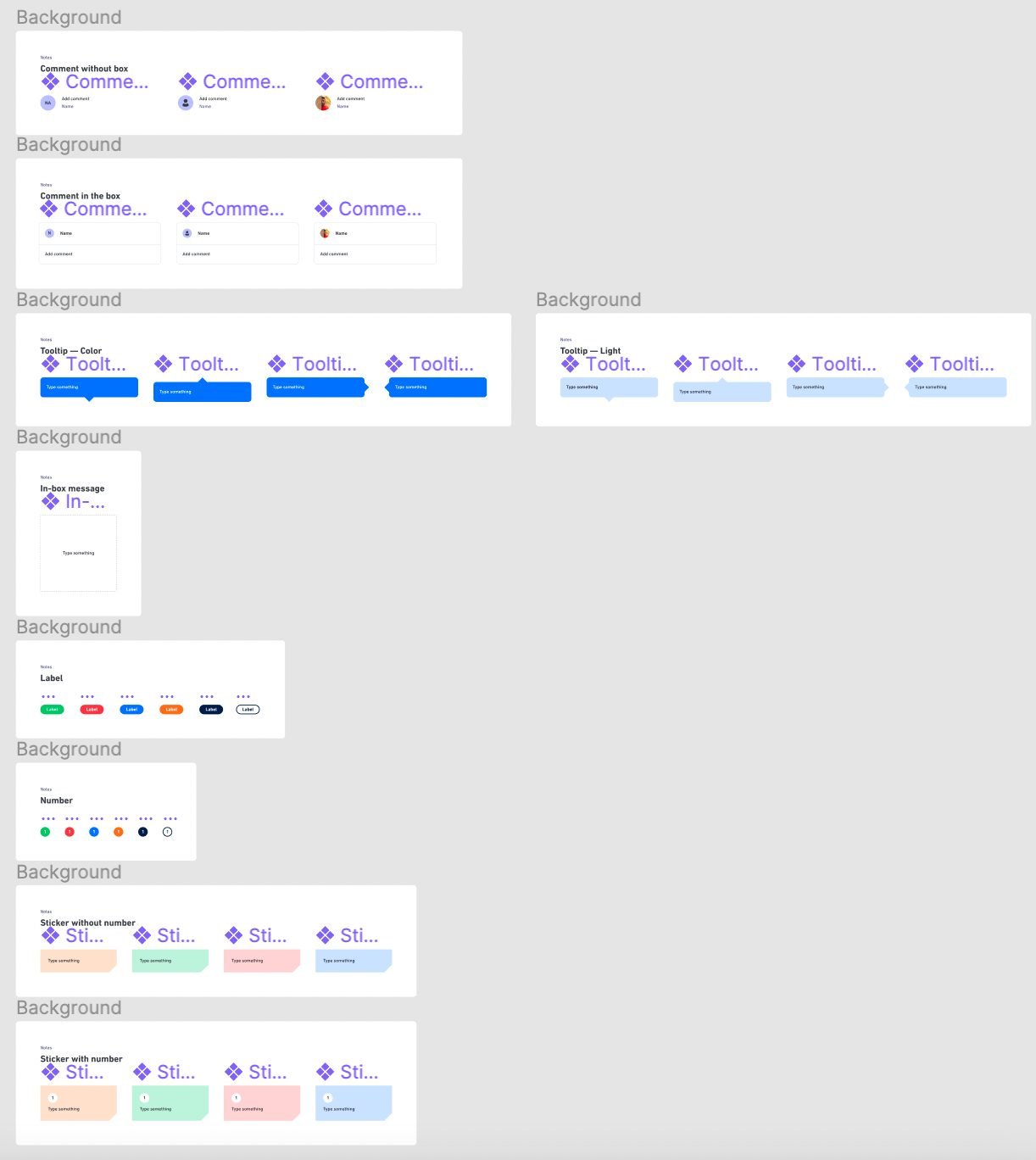
Every component that followed — inputs, selects, modals, navigation — was built once in Figma with its states, documented, and mirrored in Storybook. The full library is in the Figma link above.
Outcome
Did it work? I asked the developers
The system was built, and the maintenance is endless — it is still being iterated on. With the new components implemented, has it improved the product? My dev team gave me their view of what was working:
- Less time spent coding new components
- Handoff is a lot more efficient — less explanation needed to describe elements
- Less back and forth during QA
- Coded design in Storybook is a lot more consistent
On the customer side, UX complaint tickets fell significantly after the rework and the new features that followed. For BMW users who are not cost-engineering experts, a new learning and training process saved four days of onboarding time. And, in the team’s own words: our customers love the new product features on design system 2.0.
Reflection
What I took with me
A design system is a culture change first
The hard parts were navigating a product-team cultural transition and a rebranding at the same time — not the components.
Two designers can lead if the system explains itself
Colour notes for engineers, usage rules for PMs: documentation was how we scaled without headcount.
Get closer to the code
Storybook QA taught me more about the development side of system-building than any design tool had.
What I’d do differently with AI today
- Generate and document tokens straight from the palette, with contrast checks run automatically instead of by eye.
- Draft component documentation and usage examples from the Figma file, then edit — the two-designer team’s biggest time sink.
- Audit the live product for off-palette colours and off-system components with a script, weekly.
Curious to know more?