- Role
- Senior UX Design Engineer · the only designer on the team, plus the project-manager hat
- Team
- 1 PM · 5 engineers · 1 test engineer · 1 data scientist · me
- Timeline
- Aug 2025 → launch after four months → iterating ever since
- Tools
- Claude Code · Figma + Figma MCP · VS Code · Helles on PrimeNG v22
- Links
- cplace.com
Screens show cplace demo data, not customer data. Adoption is the business figure I can share; the rest stays inside the company.
TL;DR
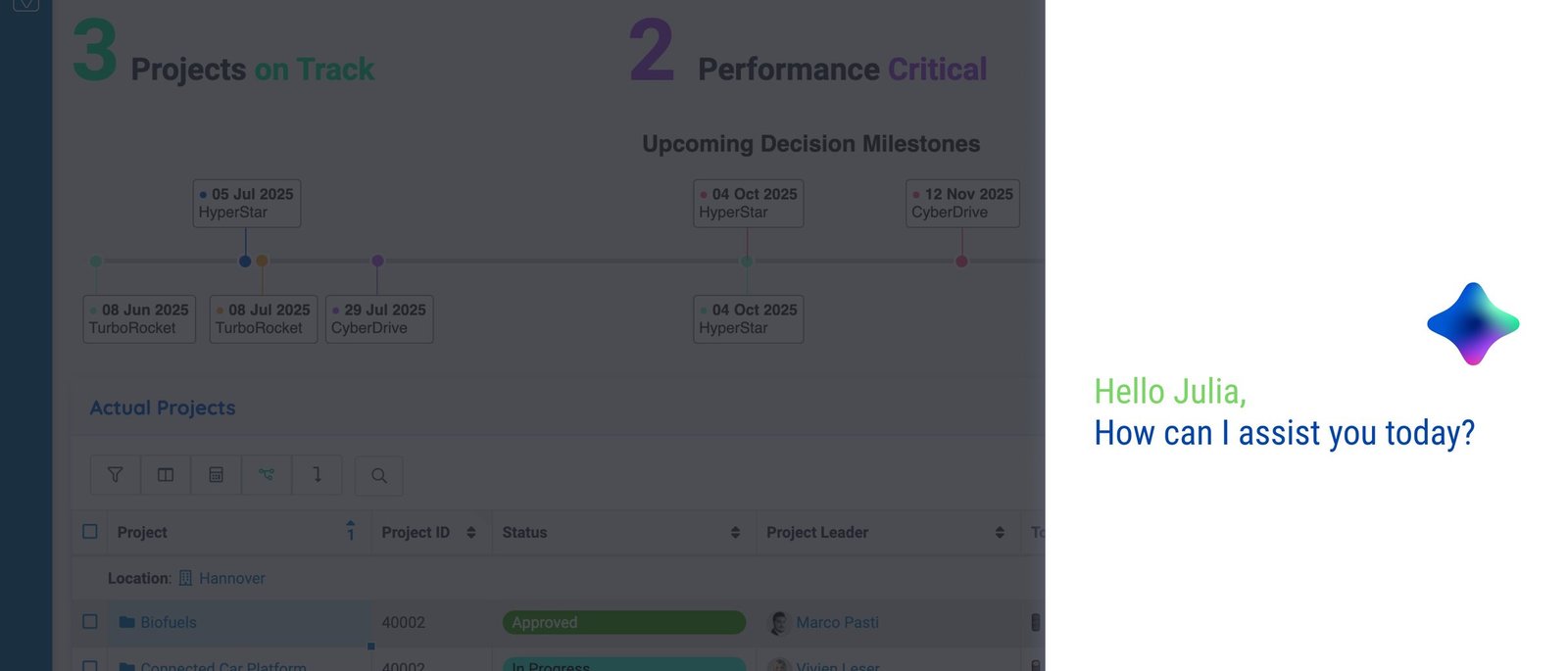
cplace is a ten-year-old project and portfolio management platform for large enterprises. In June 2025 it opened a new product area: an AI Companion that lives inside every workspace instead of next to it. I joined in August as the only designer in a team of nine — a vision document existed; the research, flows and principles didn’t. We launched four months later. Eight months on, 22% of existing customers had subscribed, up from 1.2% at the start, and they’re staying. Along the way, my UX colleague Adrian and I cut the team’s design-to-development cycle from a two-week sprint to a week.
What shipped
The work, before the story
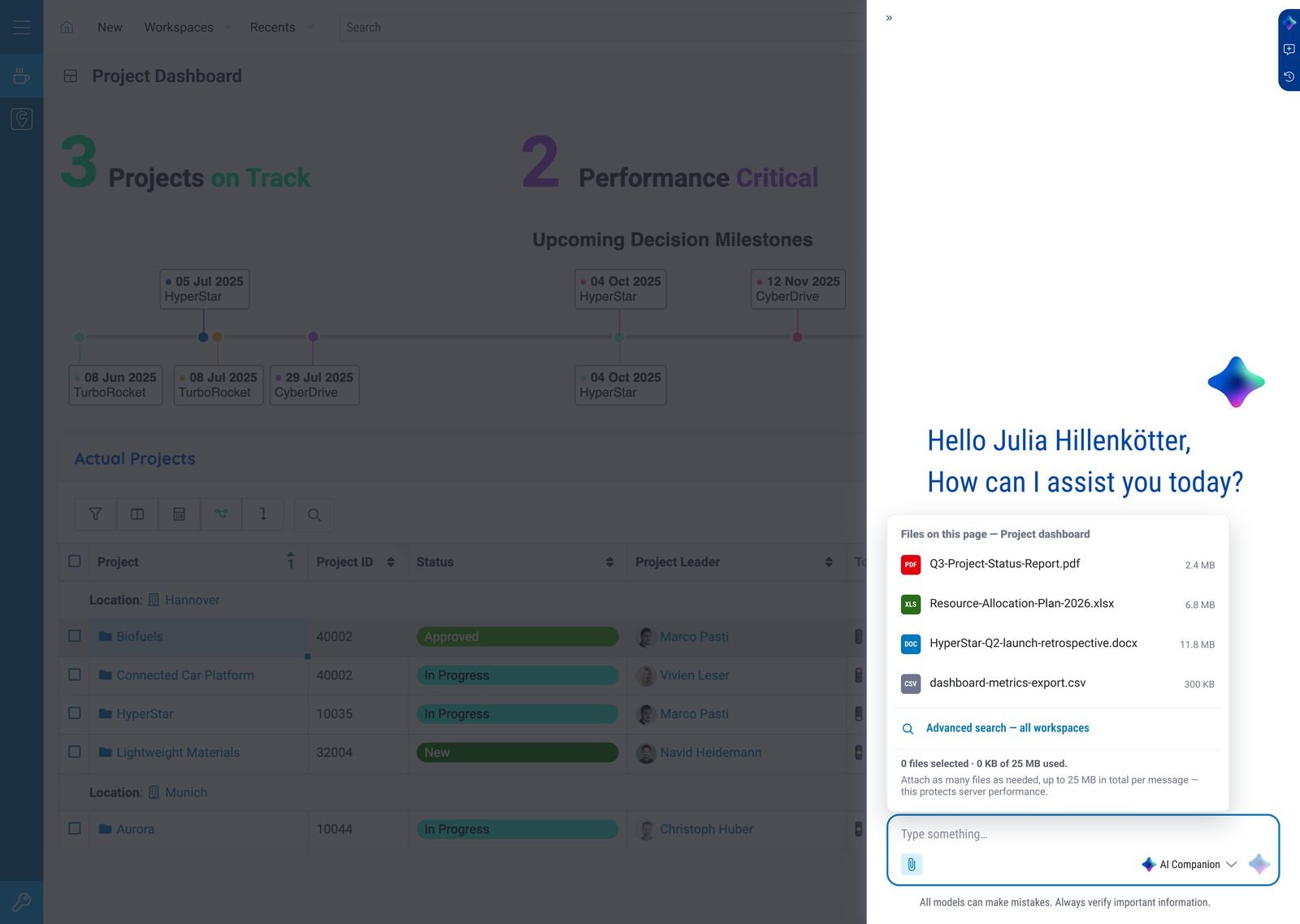
A companion in the side panel, not a chatbot in a tab
It opens over whatever you’re working on, greets you by name and already knows the files on the page. Attach them, search every workspace, or switch assistant role in the composer.
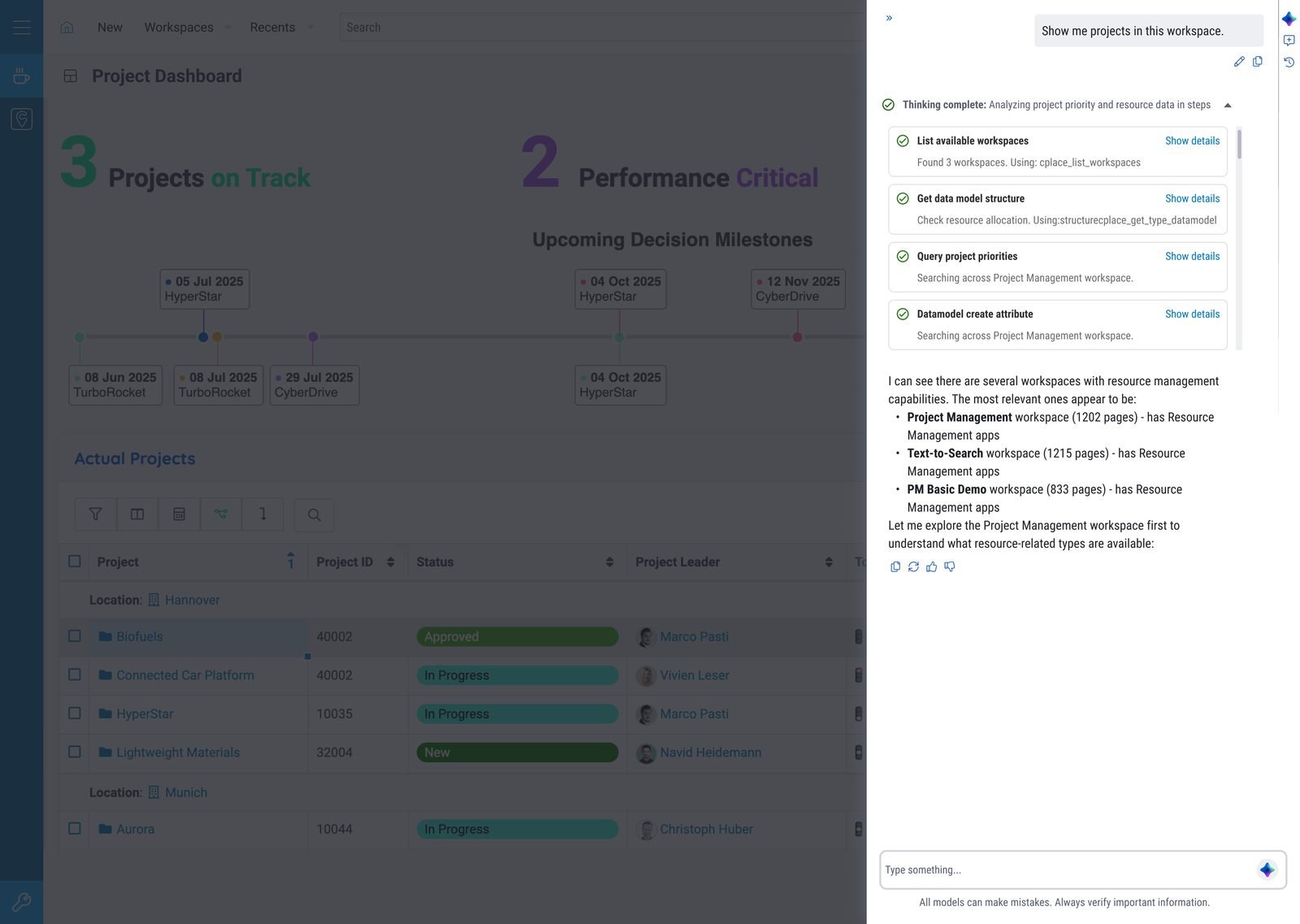
Thinking you can inspect
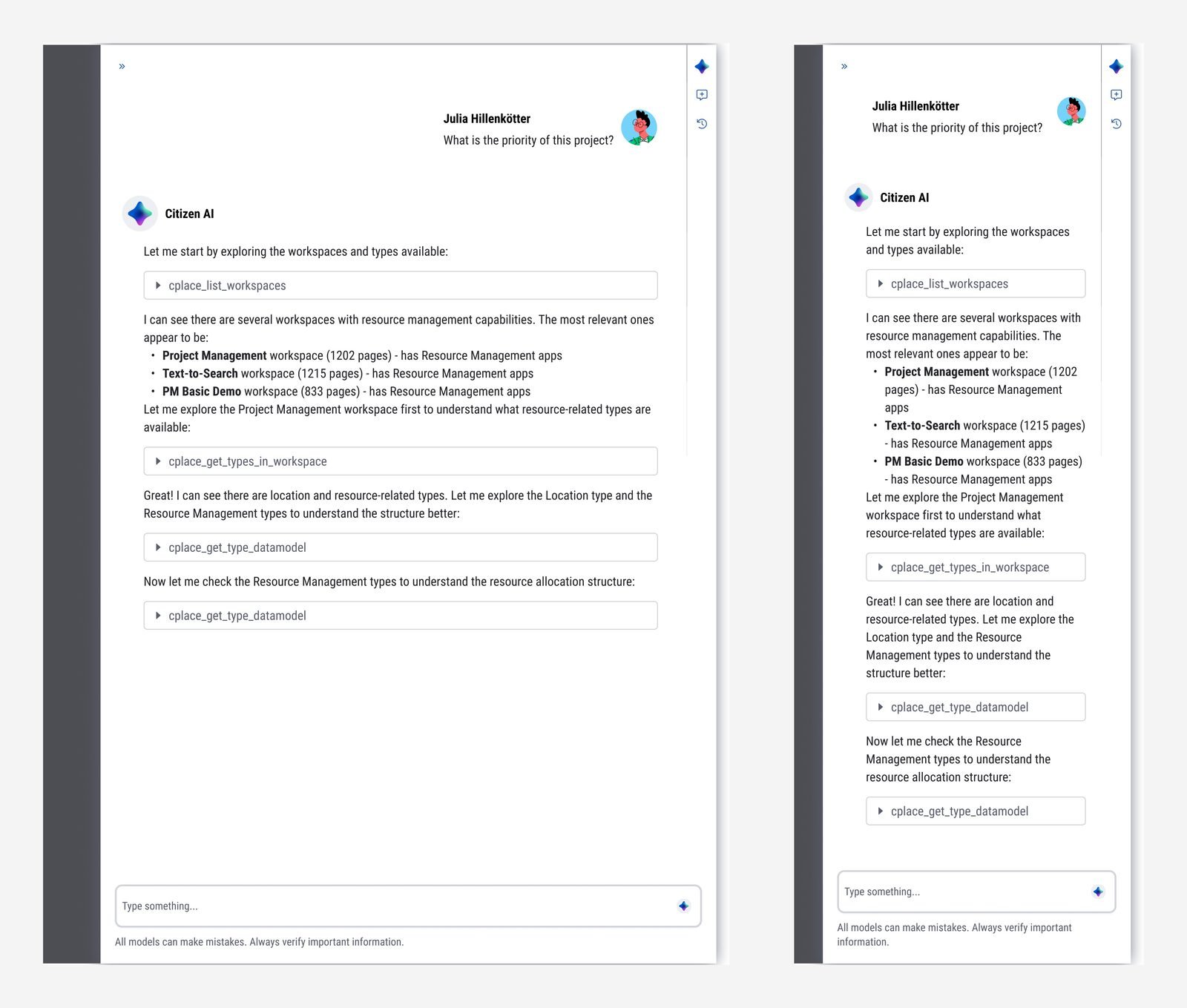
Multi-step answers show their steps — which workspace was listed, which data model was read — each with Show details. In enterprise software, trust means being able to check.
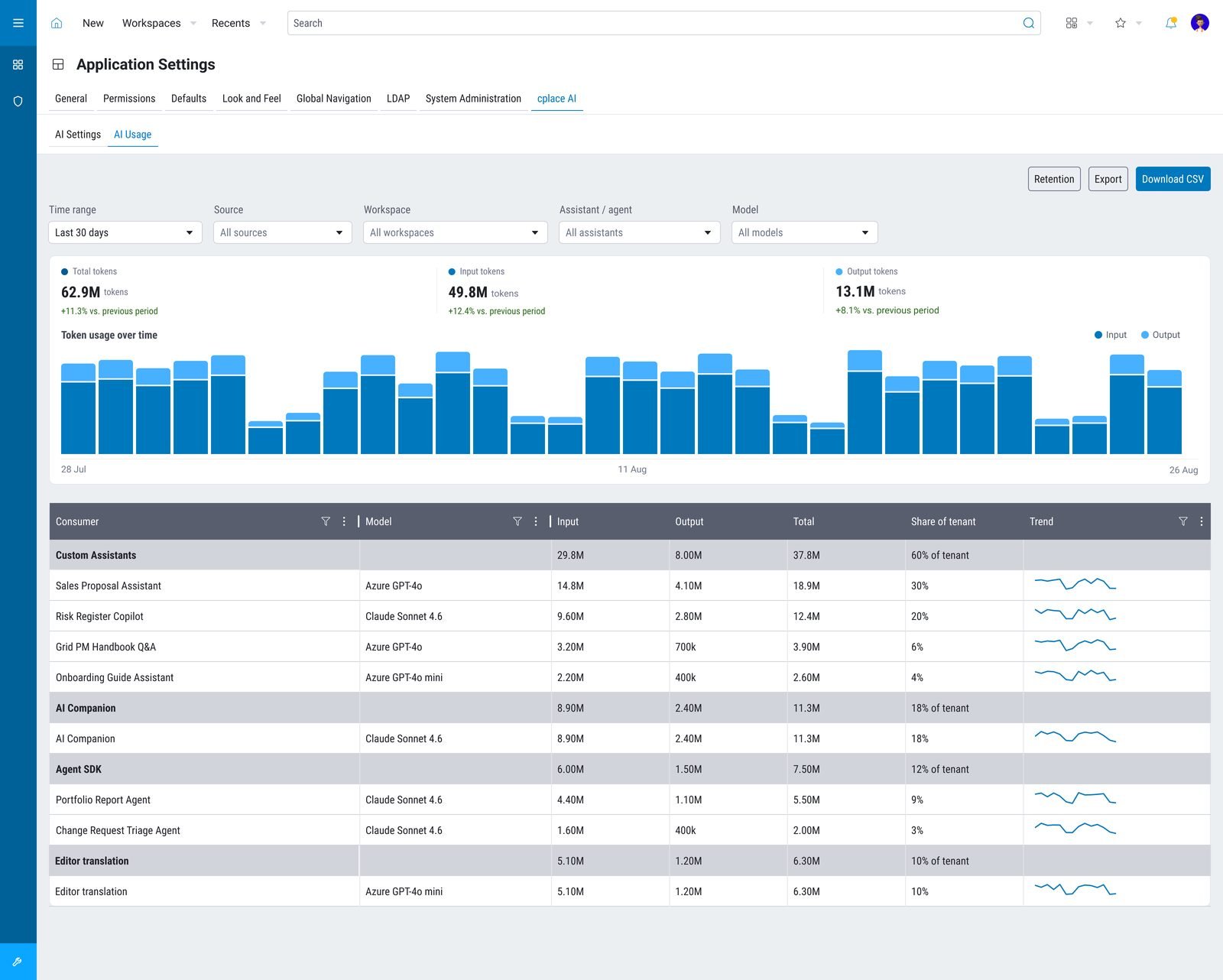
Admins see every token
An AI Usage view in Application Settings: usage per assistant, agent and model, share of tenant, trends, CSV export. Customers bring the model they prefer; admins see what it costs.
Context
AI where you work, not in another tab
The brief was a vision document. Everything between it and a shipping product was still open.
cplace’s users are enterprise employees in every role, plus the admins who keep the platform running. The Companion had to serve both, inside the interfaces they already use. The strategy ran on two dimensions — AI building blocks that provide capabilities, and interface elements that make them reachable throughout the platform — and on three principles I helped define after joining:
AI where you work
A natural extension of existing workflows, not a separate tool — discoverable and intuitive.
Intelligence without complexity
No AI knowledge, no development work. Scales from a quick answer to a hard problem.
Contextual understanding
Built on cplace’s hybrid data model of types and references, so the assistant knows what you’re looking at.
Success meant less time on routine tasks, more productive users, broader use of the platform’s advanced features and less need for training. Adoption of the Companion itself became the number we watched most.
Research
Three groups, one finding I didn’t expect
We benchmarked Planisware and monday.com for PMO, then interviewed three groups of people:
Customer success
They build the demos sales run and know our customers across industries. Their input shaped both selling points: 16 tools (create a page, organise file data, automate reminders) and assistant roles like Risk Manager.
Admins
High permissions, real responsibility. Their question: which data must never surface to employees, and which management tools they needed themselves.
End users
The majority. When, inside the cplace they already use, did they wish for help? A group of them tested the first beta before we built it out.
Design decisions
Sixteen tools, one card, four states
The hardest call wasn’t the chat. It was what each tool’s answer should look like in a side panel.
The Companion is a panel, not a full screen. Charts that shine in a demo don’t fit, and sixteen tools — search, people, data model, page management, knowledge bases — could easily have become sixteen interfaces. Instead, every tool call renders as the same collapsible card: what you asked, one line of intent, the tool’s name, the request, the result. The result has four states.
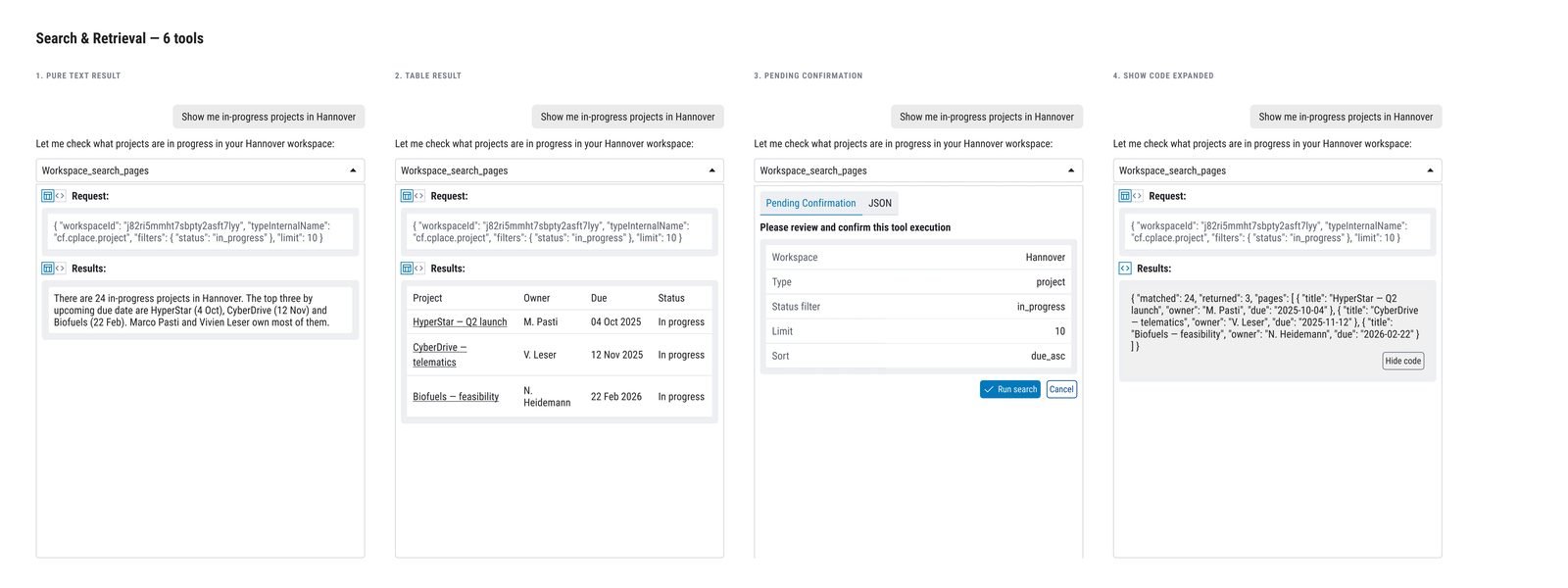
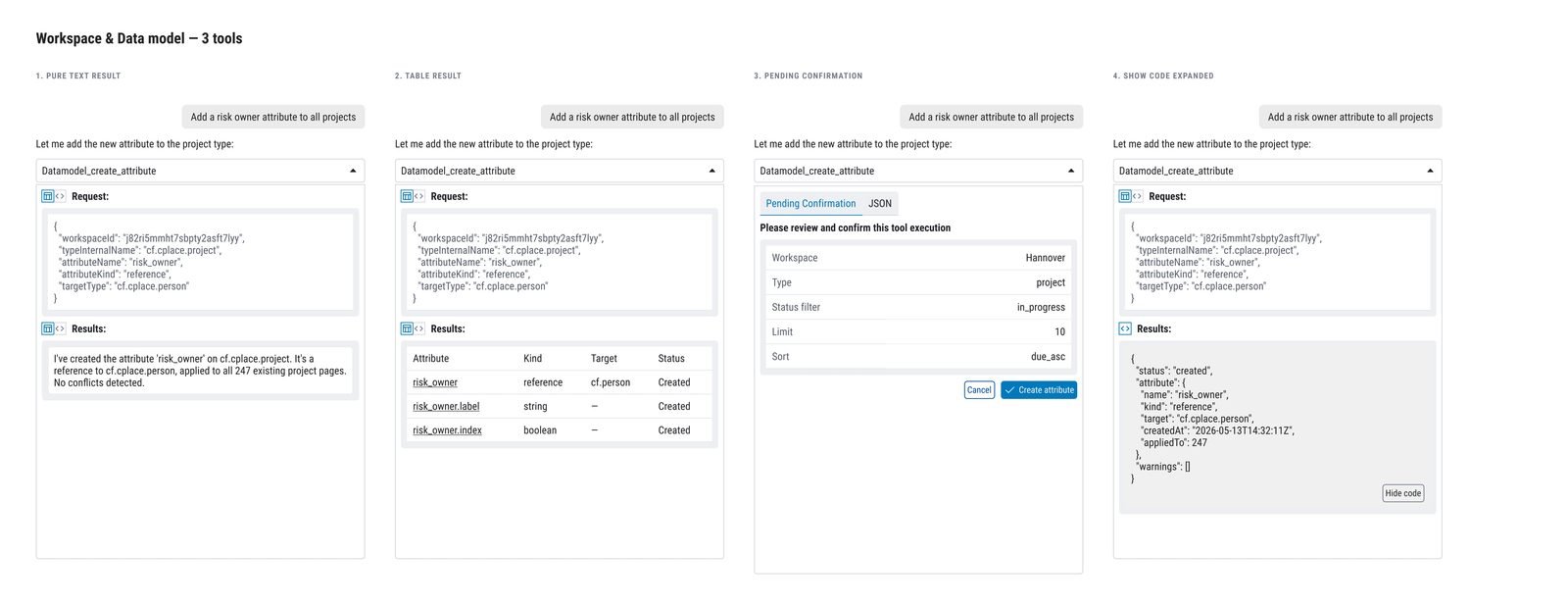
Big results didn’t get squeezed: complex charts open on a subpage through a URL in the answer. Power users get the raw request and response behind a code toggle — the same transparency the confirmation step gives everyone else.
Showing the thinking
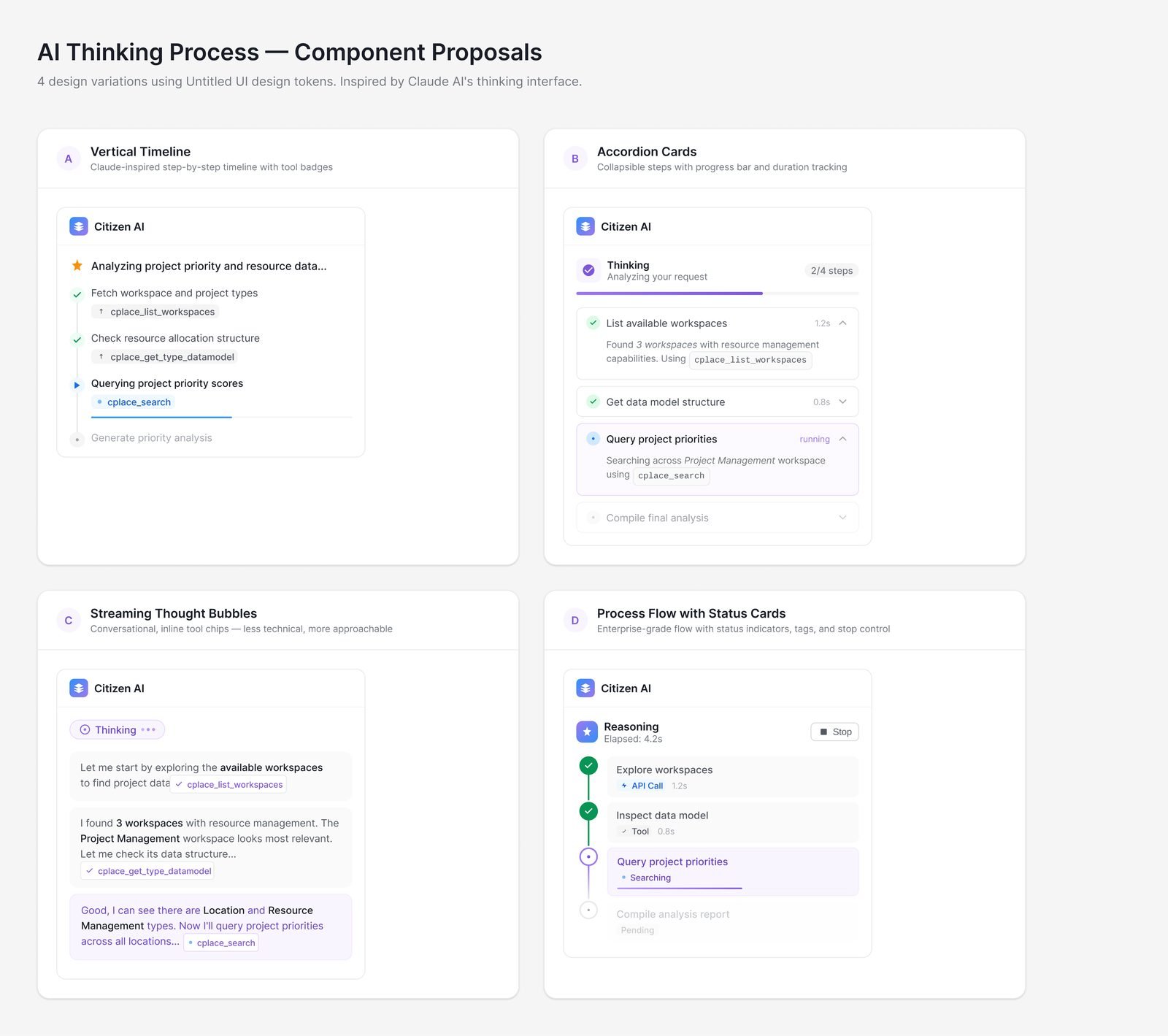
Four coded variations of the thinking UI — built to be argued about, not shipped.
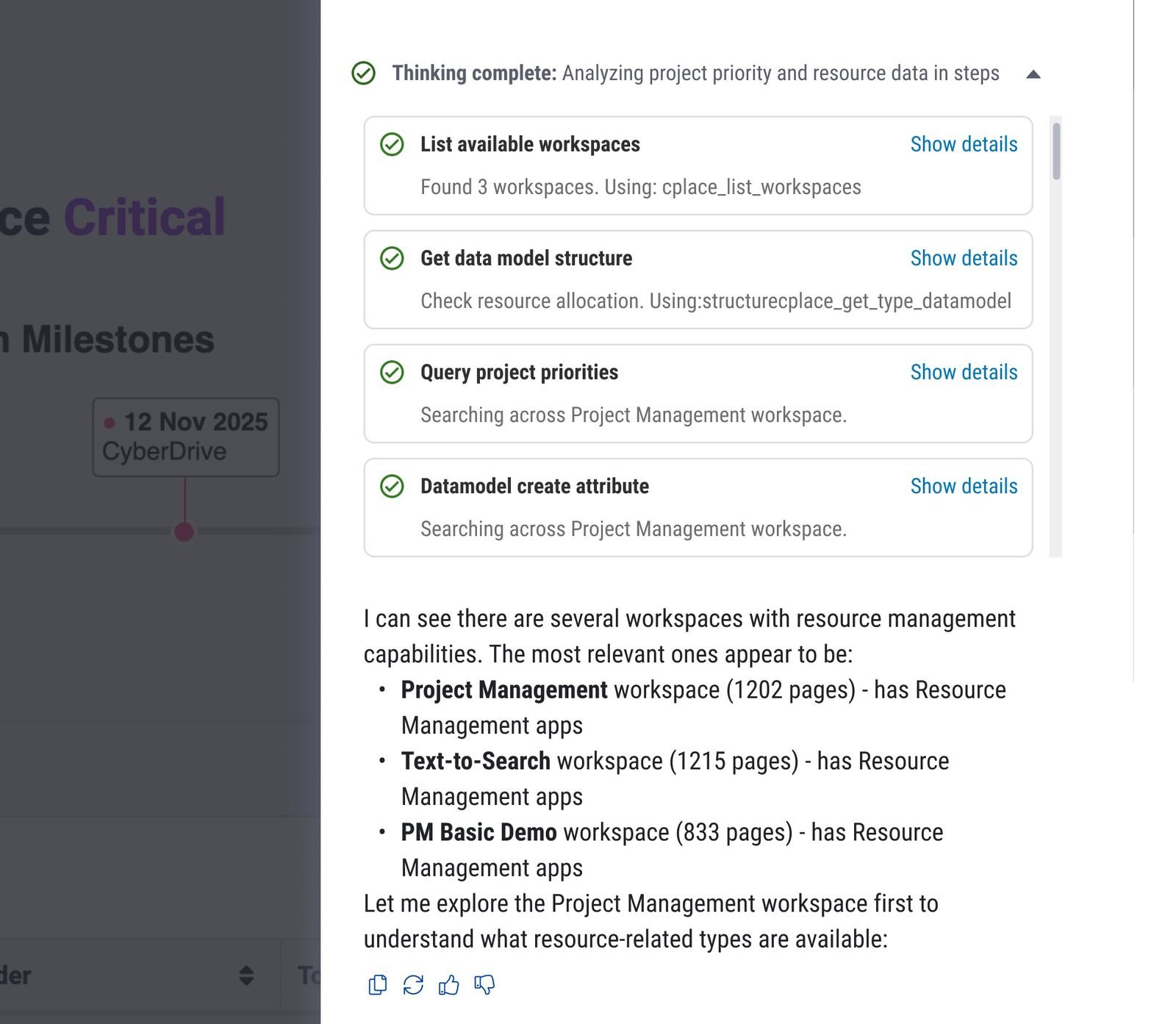
Status cards with Show details, then the answer. Less theatre, same transparency.
The PM hat
Prioritising with two questions
Alongside design I ran the day-to-day product work: which decisions first, what goes into the sprint, who is free across development, testing and design. Every request — internal or from a customer — got the same two questions: does it add a capability, or does it make one reachable where people work? Anything that answered neither waited.
Outcome
From 1.2% to 22%
Eight months after launch, 22% of existing customers had subscribed to AI Companion, up from the 1.2% who tried the paid feature at the start — and retention is strong. It sells as a quarterly subscription, and customers bring the model they prefer: the admin view above shows Azure GPT-4o and Claude models running side by side in one tenant.
How we work now
The part that changed me: designer to design engineer
With my UX colleague Adrian I set up an AI-first working mode for the whole product team. It is why my title now says engineer.
- Prototype in Claude CodeWorking prototypes, not static mockups — several variations per question.
- Discuss the proposalsThe team argues over things that run, then picks one.
- Polish in FigmaThe chosen direction gets its final design decisions.
- Figma MCP → VS CodeThe polished design connects straight back into the codebase.
- Design gate, then shipA QA step before release; small tweaks I push to GitHub myself.
Three things became standard: Claude Code as the team’s prototyping tool, a design gate before anything ships, and one handover format from product owner to design to engineering. Rounds like the four thinking-UI variations above replaced static mockups as the thing we discuss, and the whole design → development → QA loop got faster and smoother. Underneath sits Helles, the design system I co-develop on PrimeNG v22 — the shared component layer that lets a Figma decision land in code without translation.
Reflection
What I took with me
Constraints make patterns
A side panel forced one card for sixteen tools. A full screen would have let us drift into sixteen.
Trust is a UI feature
Confirmation steps, visible reasoning, raw code on demand — in enterprise AI, transparency isn’t polish, it’s the product.
Expectations are part of the design
People mythologise AI. Setting the frame is as much my job as drawing the frame.
What I’d do differently with AI today
- Let an agent do the first pass of interview synthesis and competitor teardown, and spend the saved week testing the beta with more end users.
- Generate the four-state card for every new tool from its schema — the pattern is stable enough to automate.
- Instrument the confirmation step: how often people cancel a write tells you what the assistant misunderstood.
Curious to know more?