
- Role
- Senior UX Designer, UED team · UX + UI owner on Binance.US 2.0
- Team
- Design system: 7 designers · Binance.US 2.0: 3 product designers, PMs, front-end · Voice & tone: with UX writers and the 30+ design/PM group
- Timeline
- Apr 2020 → Jul 2021
- Tools
- Figma (migrated from Sketch) · Storybook · React + Sass · GitHub · Maze
- Links
- binance.us · iOS app · articles on Medium
TL;DR
Binance is the world’s largest crypto exchange by trading volume. By 2020 it ran in 70 countries and 25 languages with 30+ designers and product managers — and it showed: feature names and button copy differed by team, components were rebuilt per project in Sketch, and Binance.US had a dashboard that most users had never seen. I worked the problem at three levels. First the words: a voice-and-tone content style guide built from customer tickets and interviews. Then the components: Binance’s first cross-platform design system, built from scratch with six other designers. Then the flows: a competitor teardown and 12 user interviews that reshaped Binance.US 2.0 on web and iOS.
What shipped
The work, before the story
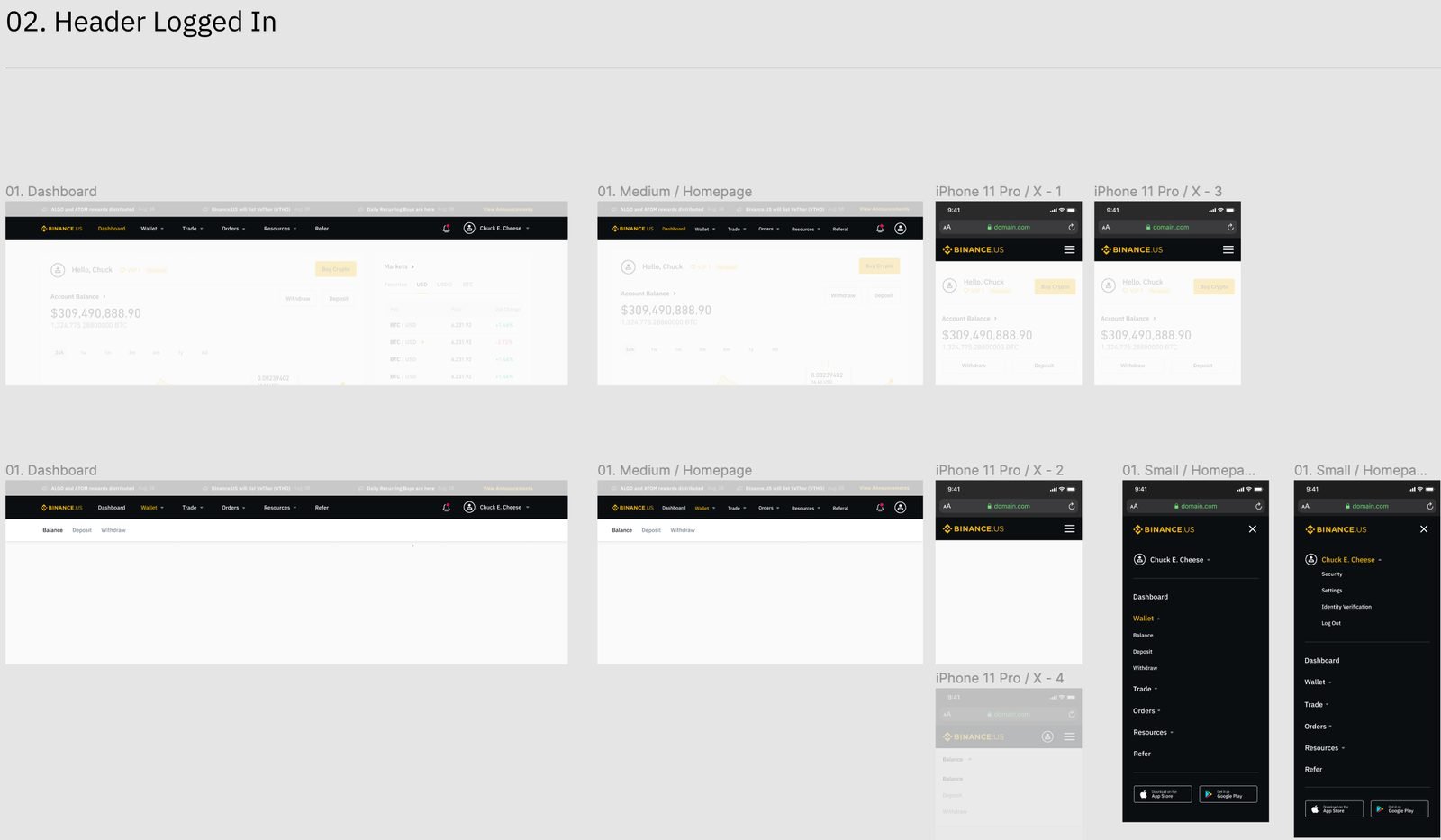
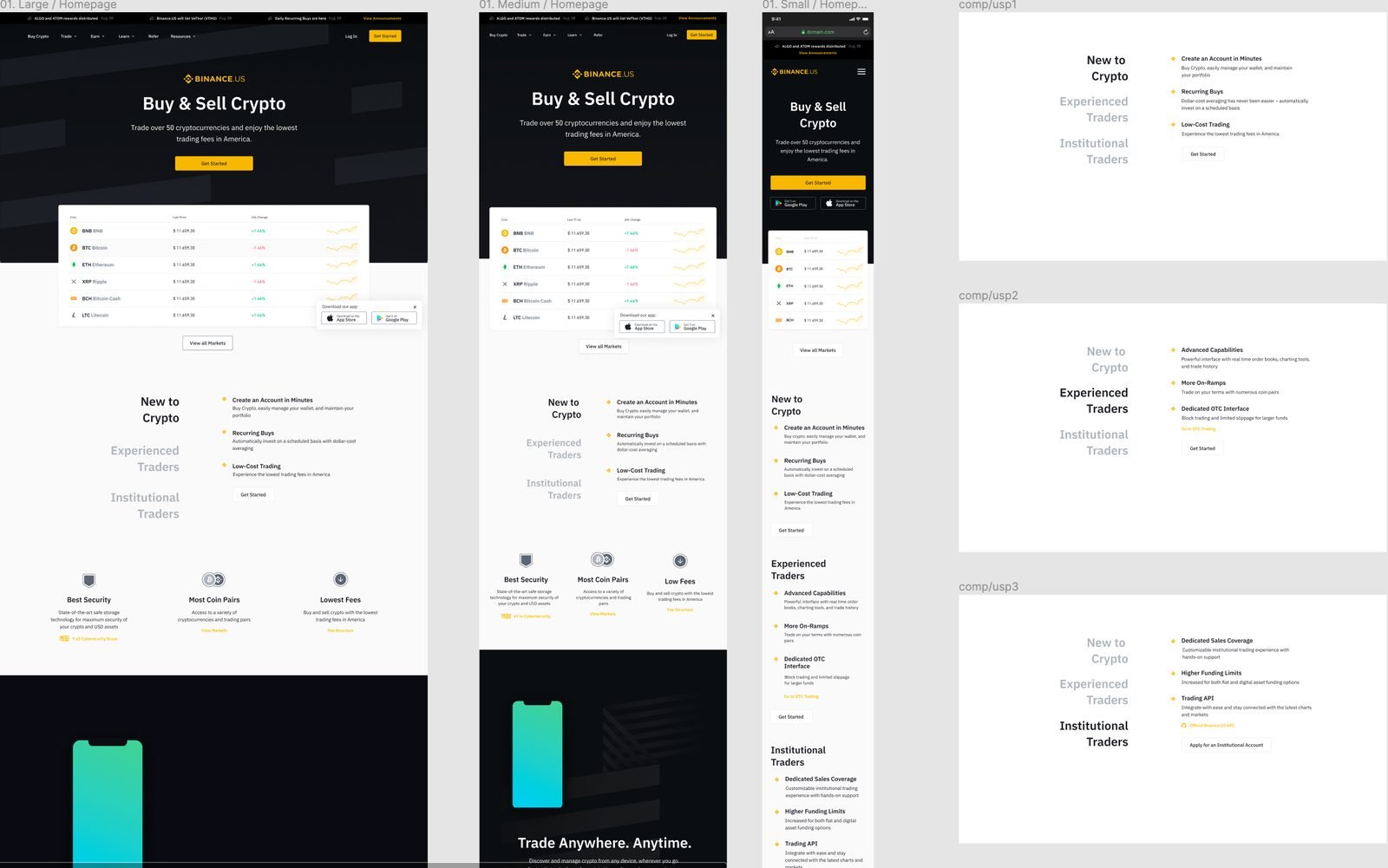
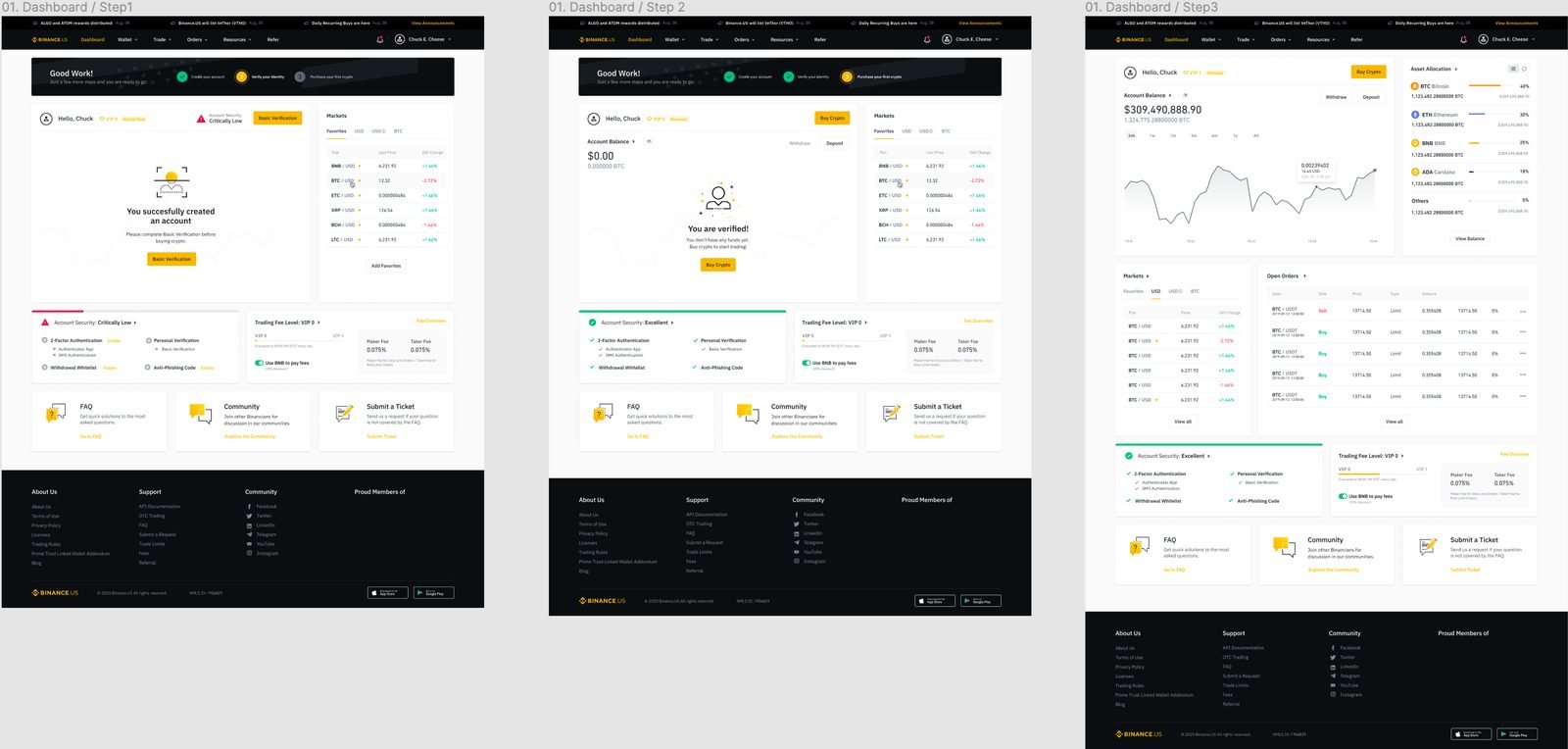
Binance.US 2.0 on the web
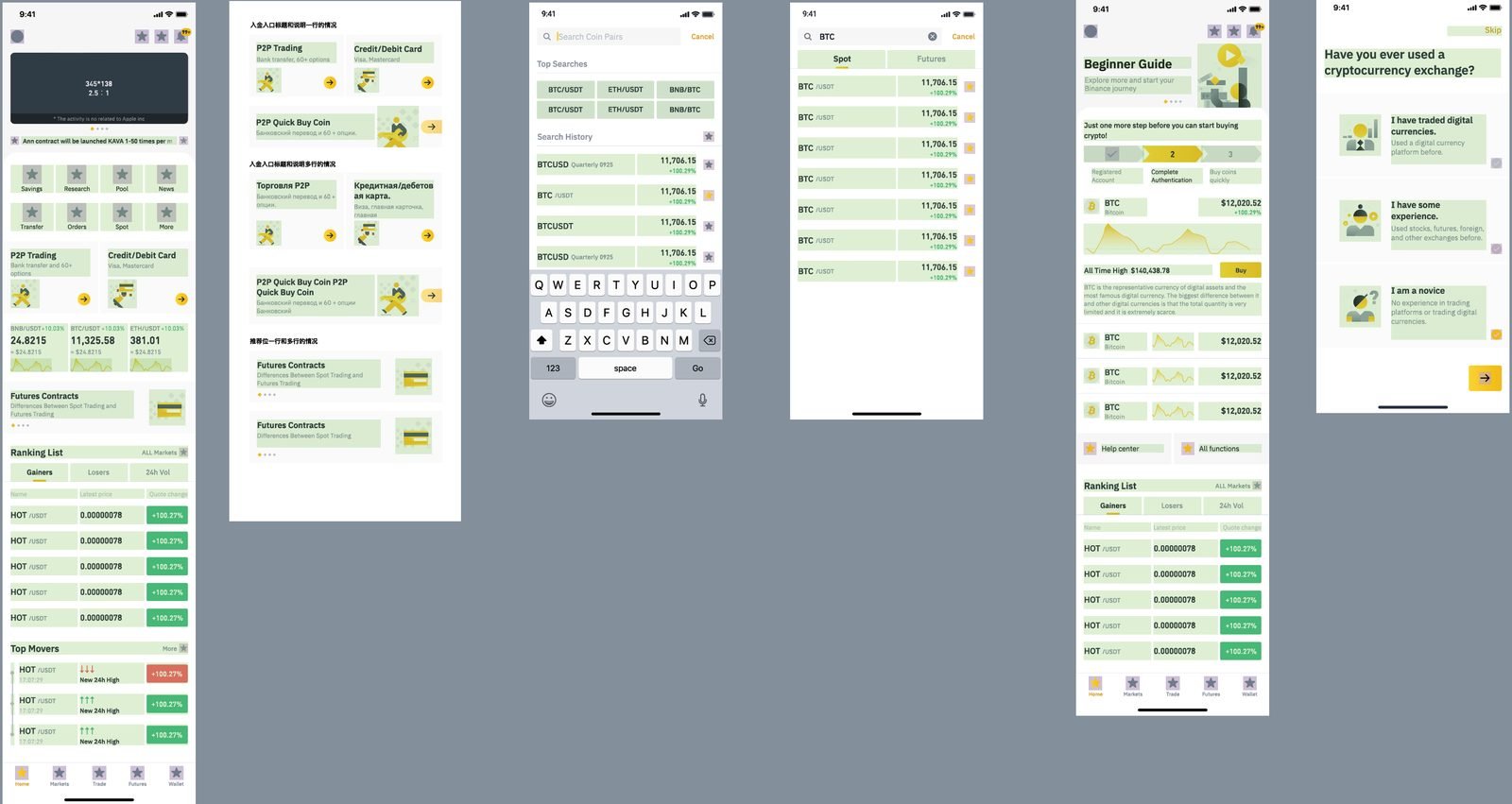
A home page where funding, trading and account live in separate, obvious places — and where new users land on something useful instead of a wallet tree.
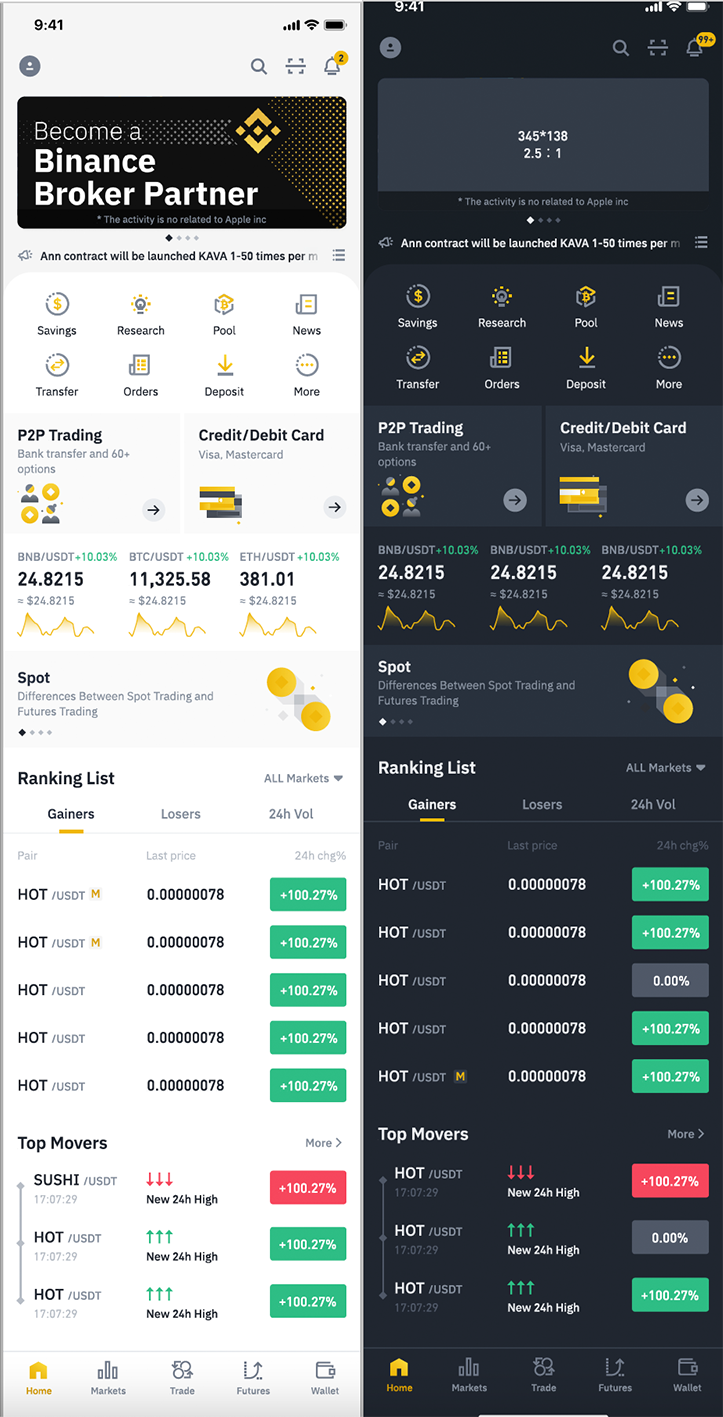
The 2.0 app home
Bottom navigation keeps the core functions visible without getting in the way; retail and professional flows no longer share one screen.
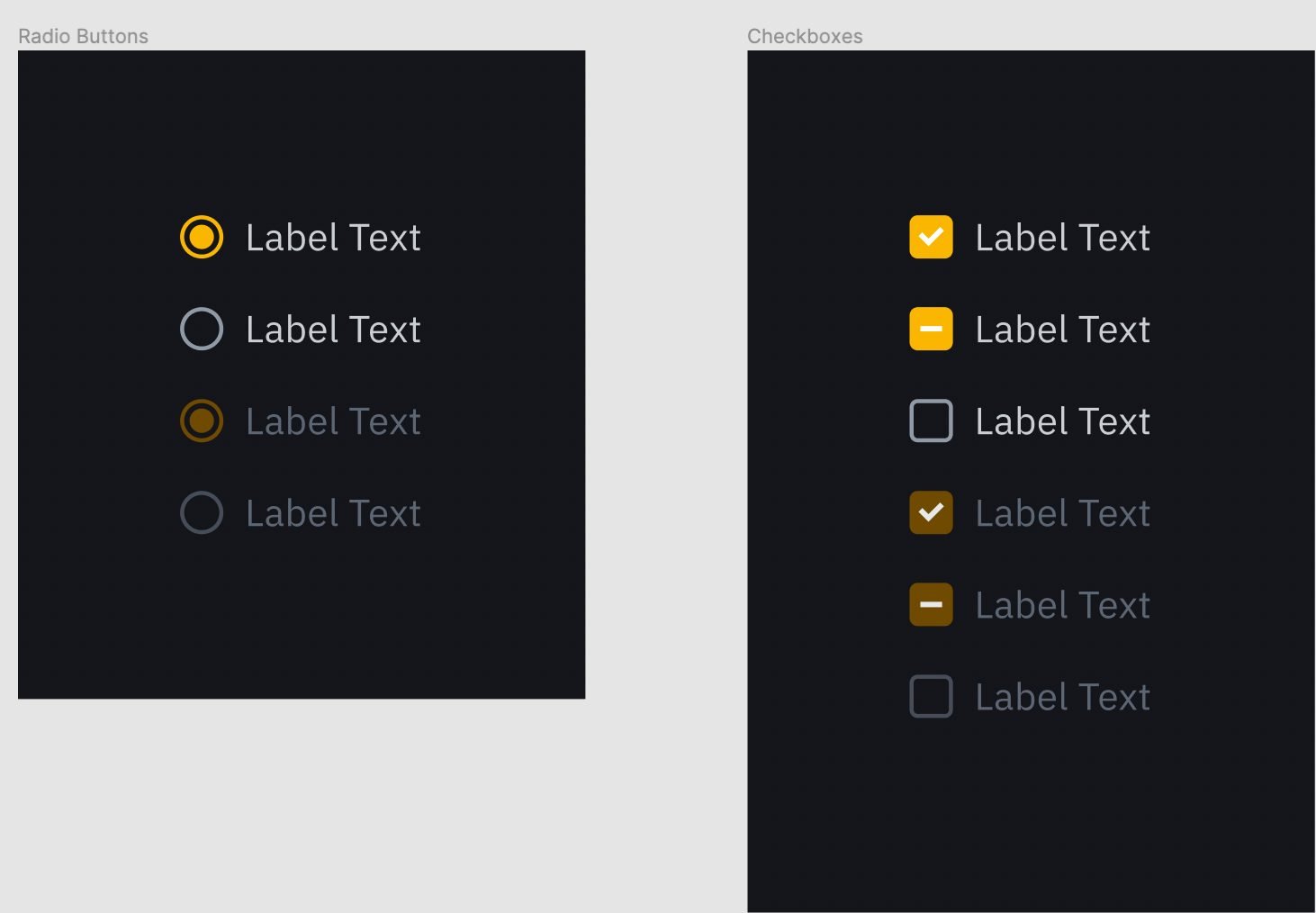
One component library, light and dark
Every component was designed in both modes from day one and documented in Figma before it went to Storybook and the website.
Context & problem
Growth had outrun consistency
Three symptoms, one cause: nobody owned how Binance looked, sounded or flowed across teams.
Every product team shipped fast and on its own terms. Support tickets and user interviews kept surfacing the same confusion — a feature called one thing on web and another in the app, buttons that said “yes” and “no”, a spot wallet, margin wallet and futures wallet that meant something to a trader and nothing to a newcomer. Old components lived on a shared drive in Sketch files, so each team redrew them slightly differently.
Binance.US had a sharper version of the problem. It launched in 2019 into a market with few legal crypto platforms, inherited the global product’s trader-first structure, and had a dashboard that was officially the lowest-engagement page on the site — and the subject of many internal and external complaints.
Goals
Three layers, one outcome
Read the same words for the same thing everywhere — web, iOS, Android, 25 languages.
Cut the support tickets and translation errors caused by inconsistent copy; give 30+ designers and PMs one rulebook.
Recognise the product as one product, in light or dark mode, on any device.
Stop rebuilding components per team; let PMs wireframe with real components so designers focus on experience.
As a newcomer, deposit, buy and check my account without learning a trader’s vocabulary.
Grow Binance.US retail users and engagement in a market where competitors had a simpler story.
Chapter 1 · Words
A voice and tone guide for 25 languages
Role: UX research, user interviews, and the resulting content style guideWriting is branding. With 30+ designers and PMs each deciding how a feature should sound, the fastest lever on consistency was a shared way of writing — so we started the rebranding project with a Content Style Guide, grounded in customer tickets, problem interviews, competitor and marketing research.
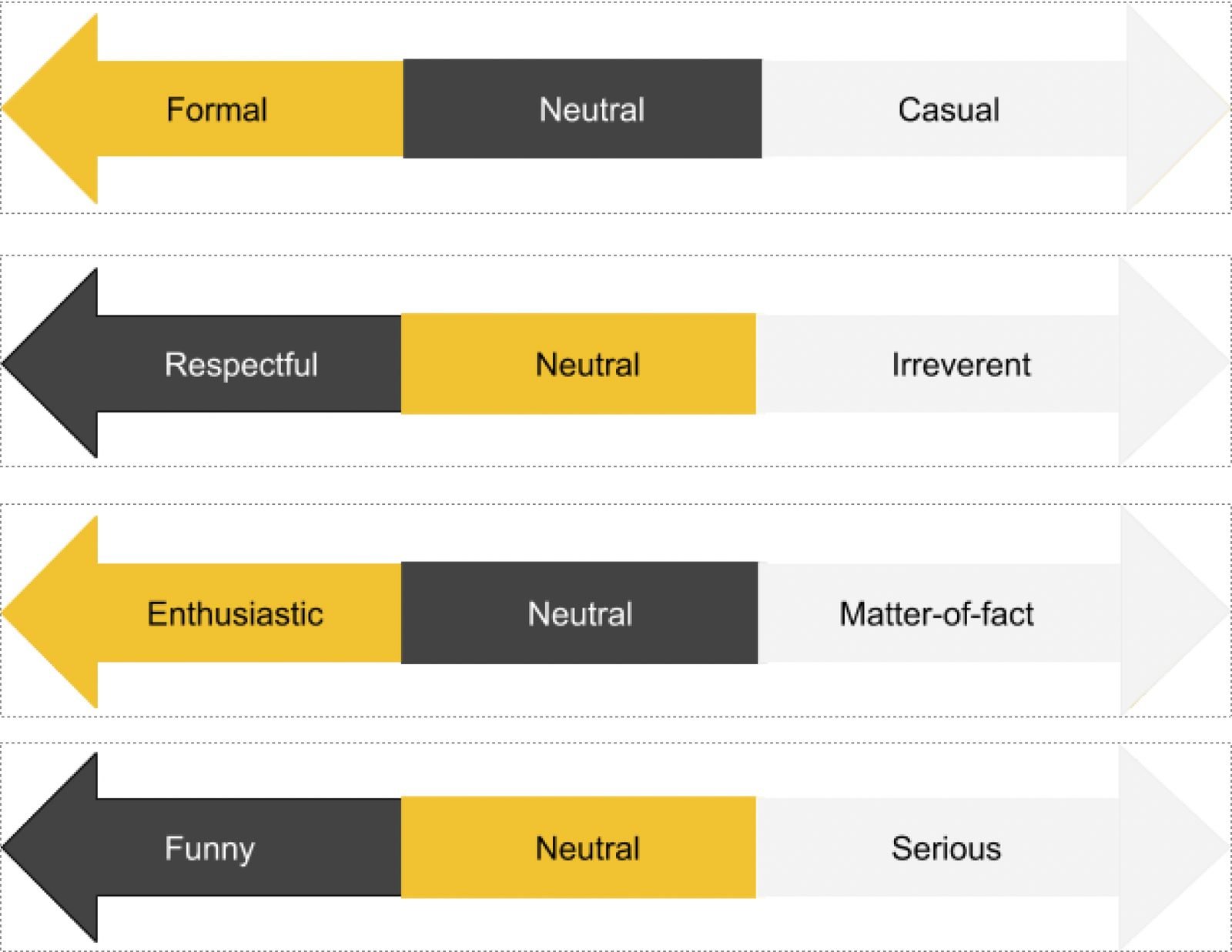
The guide separates voice — consistent, active, American English, the product’s personality — from tone, the emotion applied to that voice depending on channel and touchpoint. Four dimensions (formal ↔ casual, respectful ↔ irreverent, enthusiastic ↔ matter-of-fact, funny ↔ serious) let a team pick a tone for an error message and a different one for a campaign banner without breaking the voice.
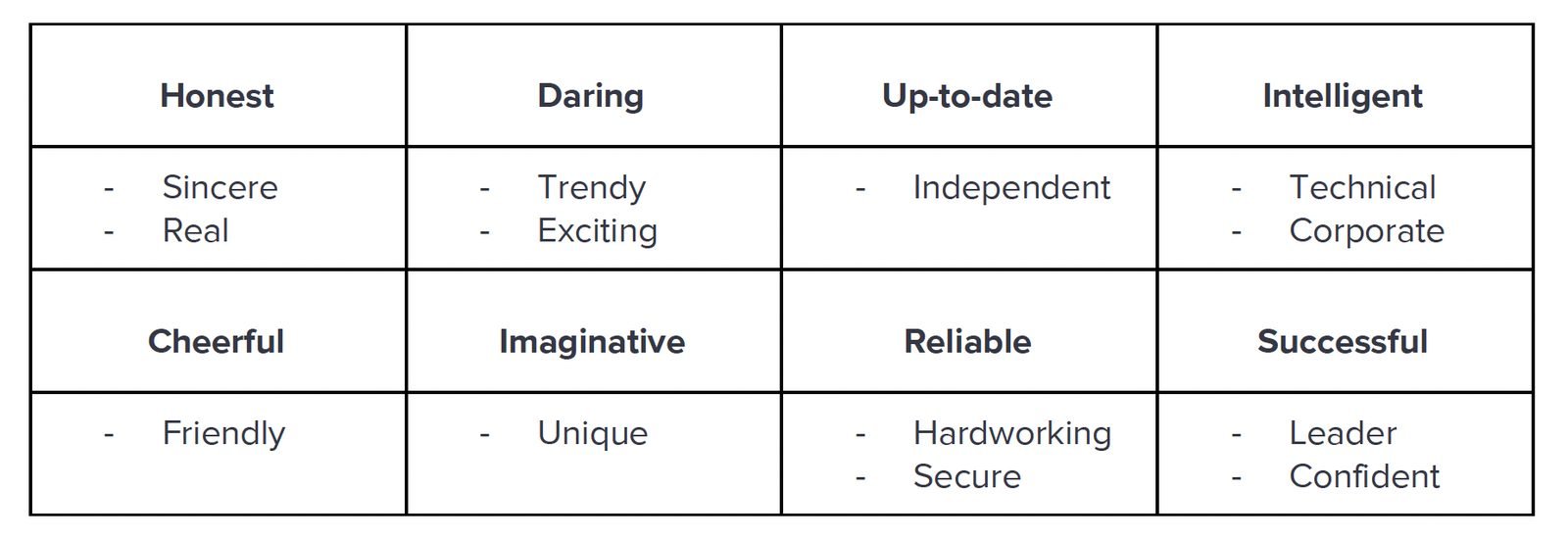
Then the practical part: writing goals (present tense, active voice, important information first, one idea per paragraph, no contractions, explain every abbreviation), rules for writing for translation, and a catalogue of the mistakes actually found on the platform — grammar, capitalisation, format, punctuation, jargon.
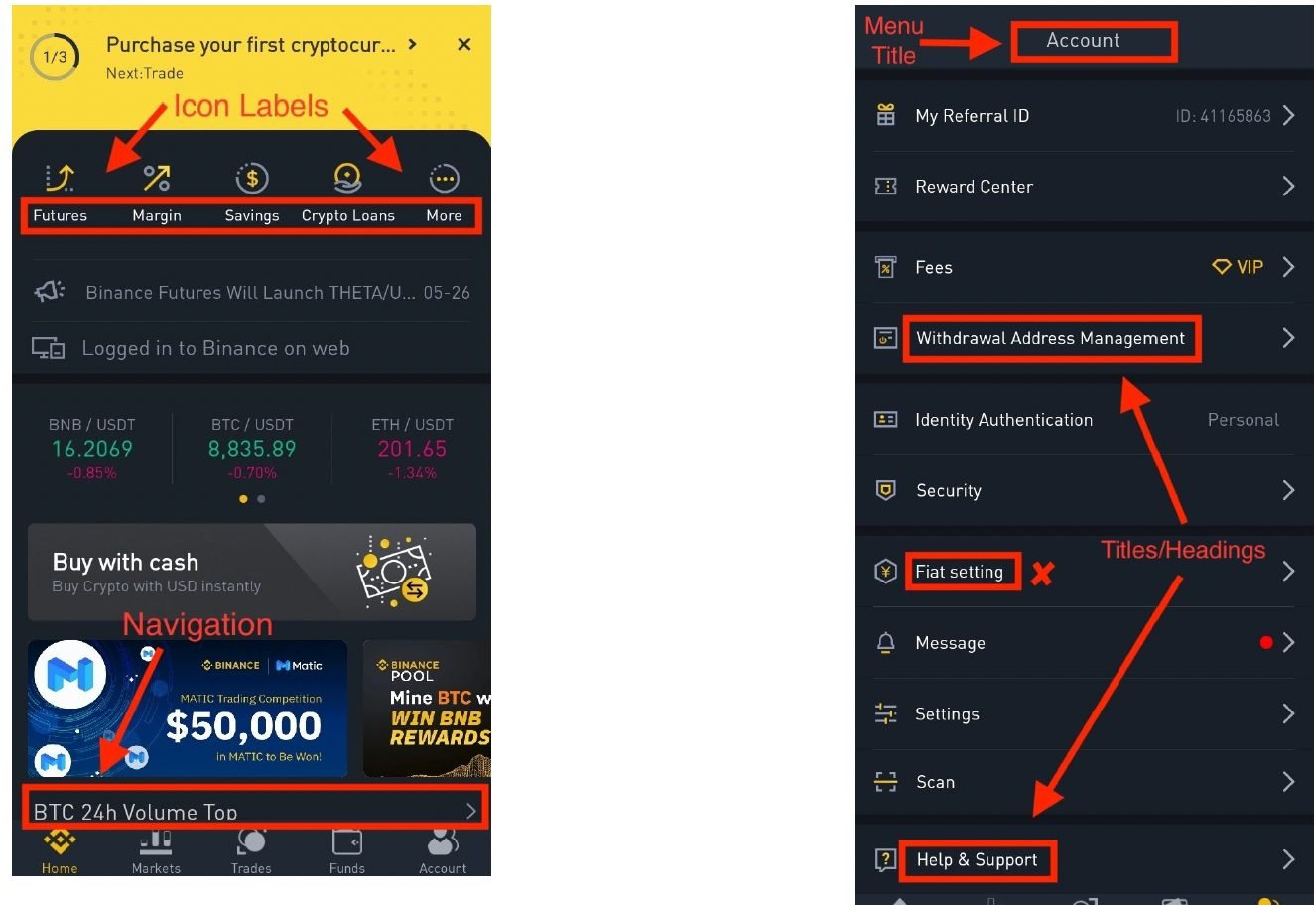
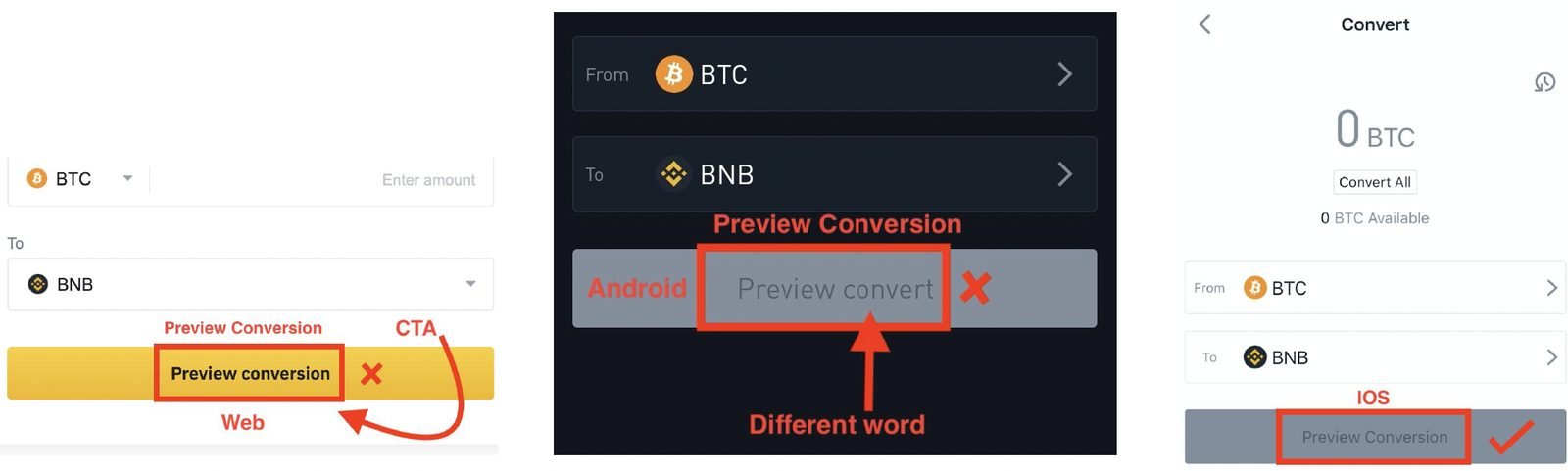
Before — inconsistent casing, “yes/no” actions, mixed terminology in the app.
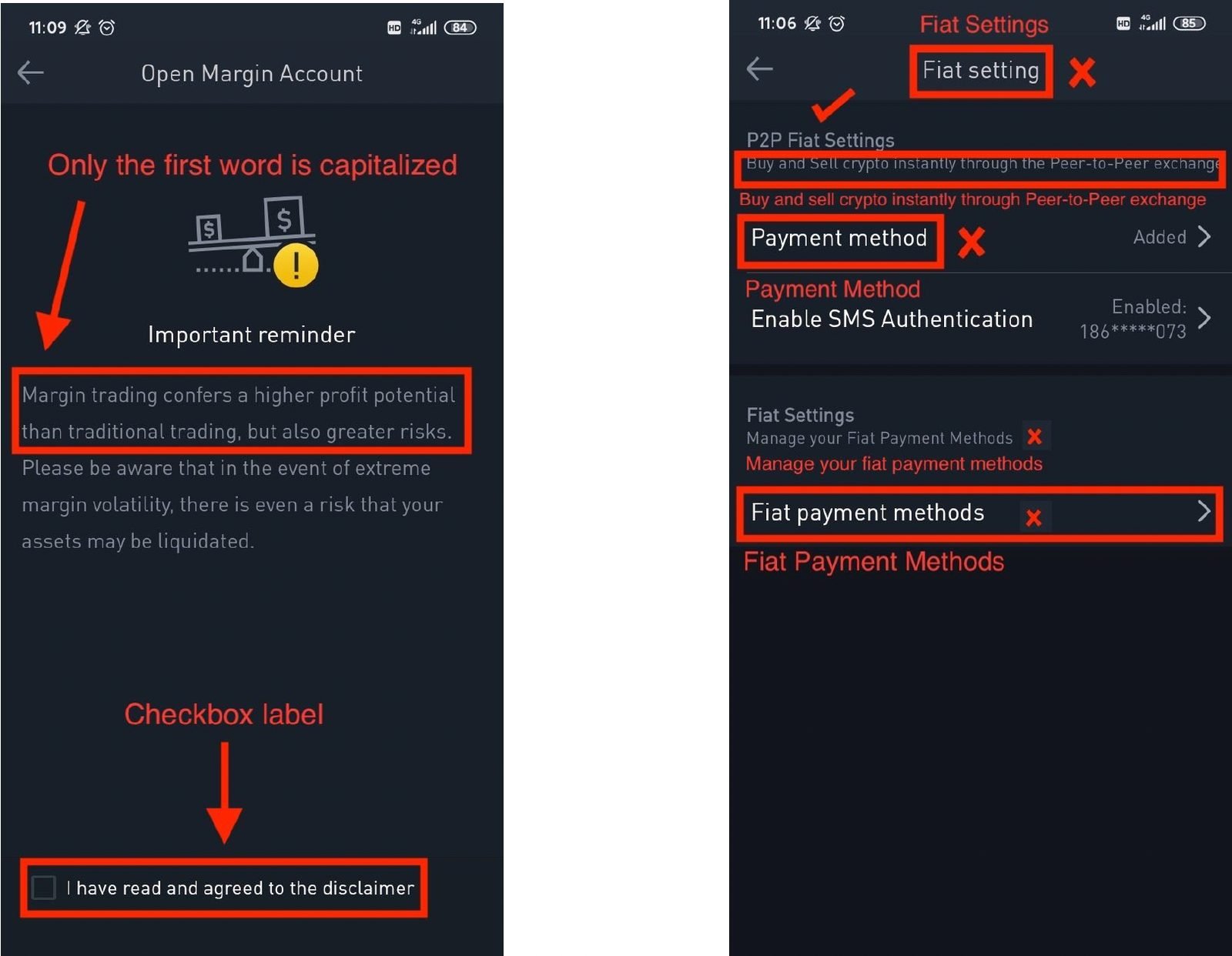
After — sentence-style capitalisation, action verbs on buttons, one term per feature.
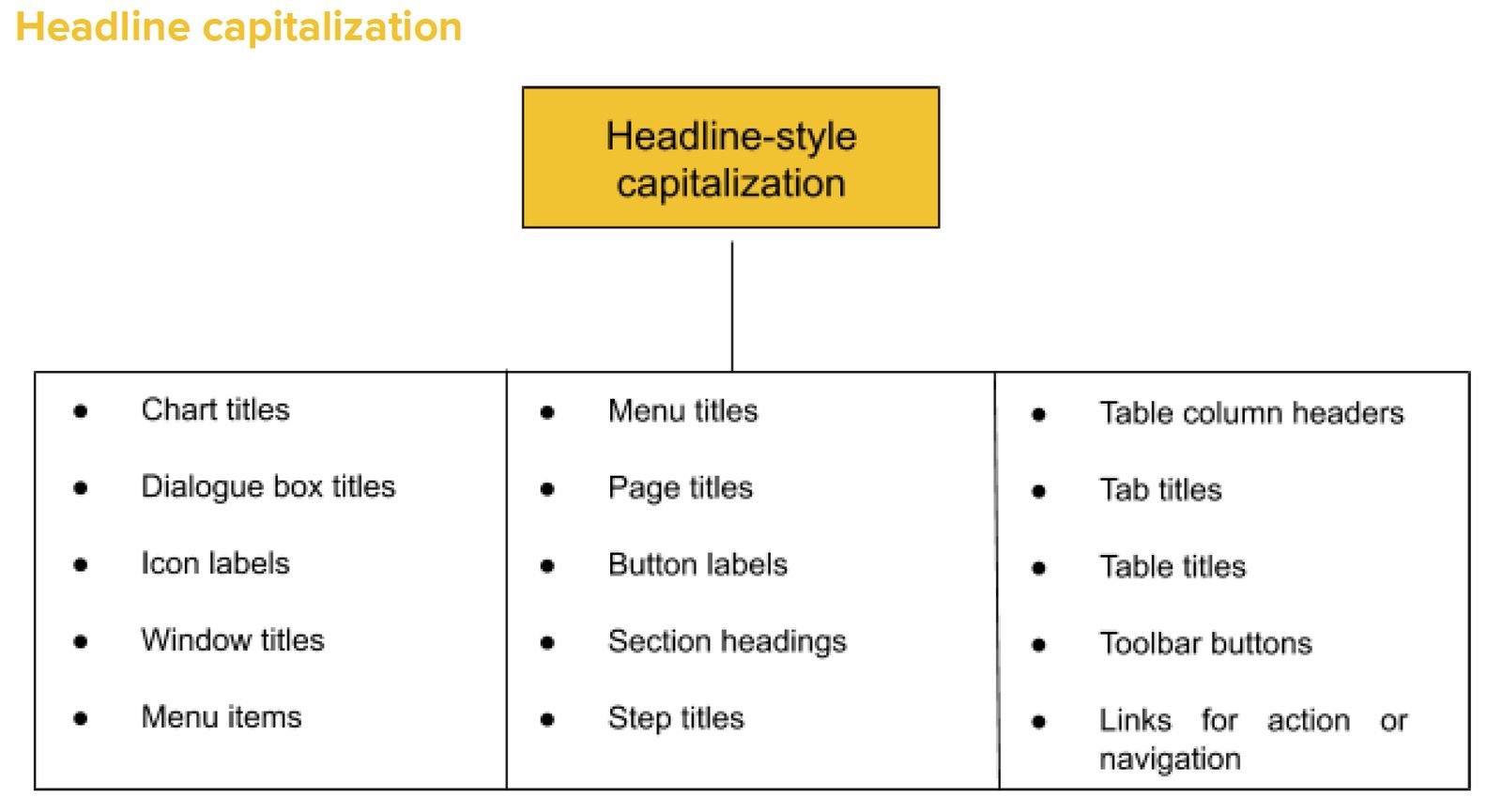
The rules for dialogs and buttons became the most-used page of the guide: short titles, no generic yes/no, one-line descriptions, actions that name their outcome (“Cancel / Continue”), task-specific verbs (“Register now”, “Preview conversion”), headline-style capitalisation for CTAs, and identical wording on web and app.
Chapter 2 · Components
The first Binance design system, from zero
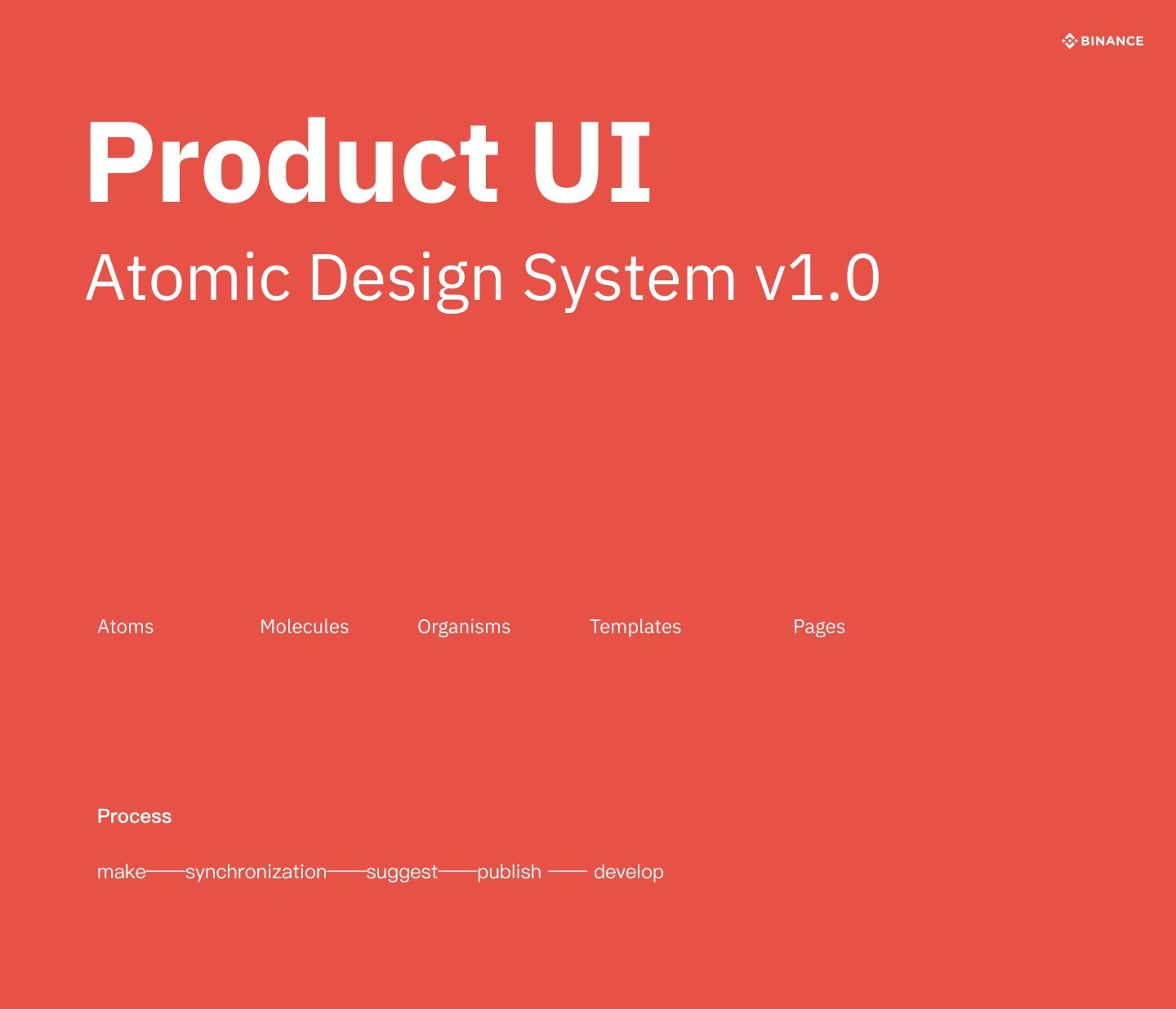
Role: component design and A/B testing, in a team of 7 designersI started by researching the three surfaces the system had to serve — iOS, Android and desktop — and the chaotic state of the old components on the drive, most of them in Sketch. The UED team made the strategic call to move from Sketch to Figma, and we used our weekly design meeting and the feature teams’ meetings to spread what we learned.
The goal became explicit: “Free designers’ hands — let product managers create wireframes just as we want them presented on the page.” If PMs and engineers could read preliminary ideas and CSS straight from the tool, designers could spend their time on experience instead of reinventing the product every quarter.
Colour, spacing, type
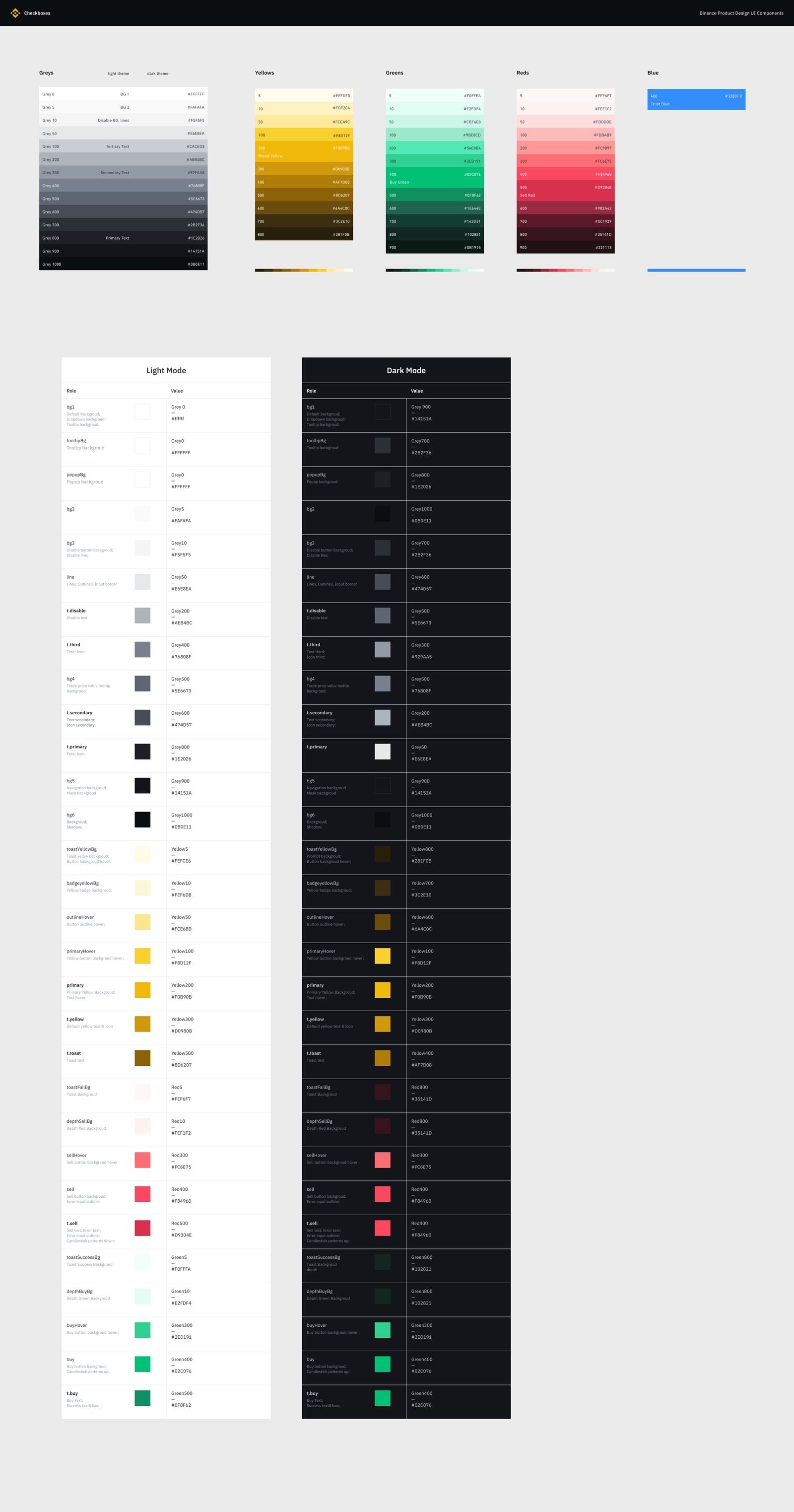
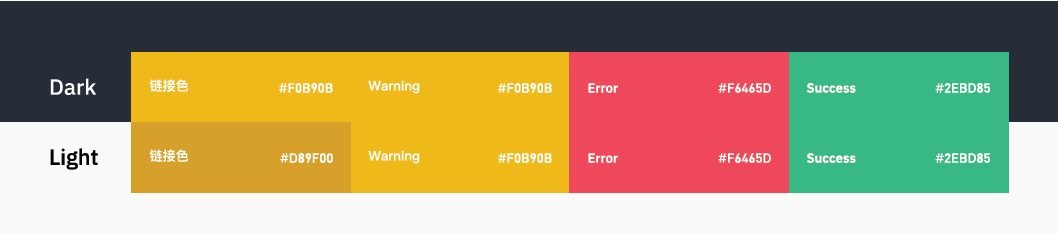
The system is predominantly white and black with Binance’s yellow reserved for primary actions, green for navigation links and red for warnings. We removed blue entirely: it added complexity and competed with the yellow and green that carry meaning.
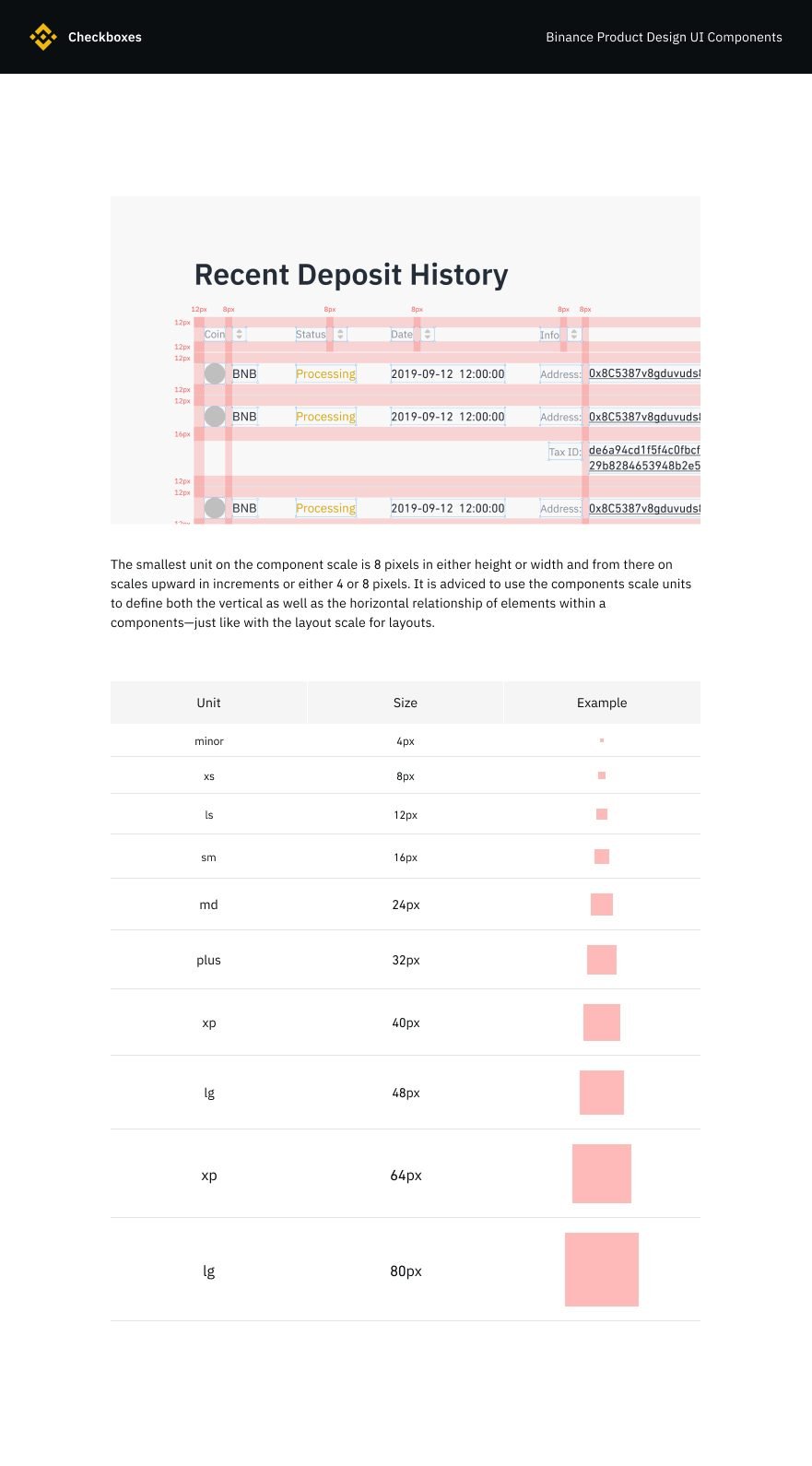
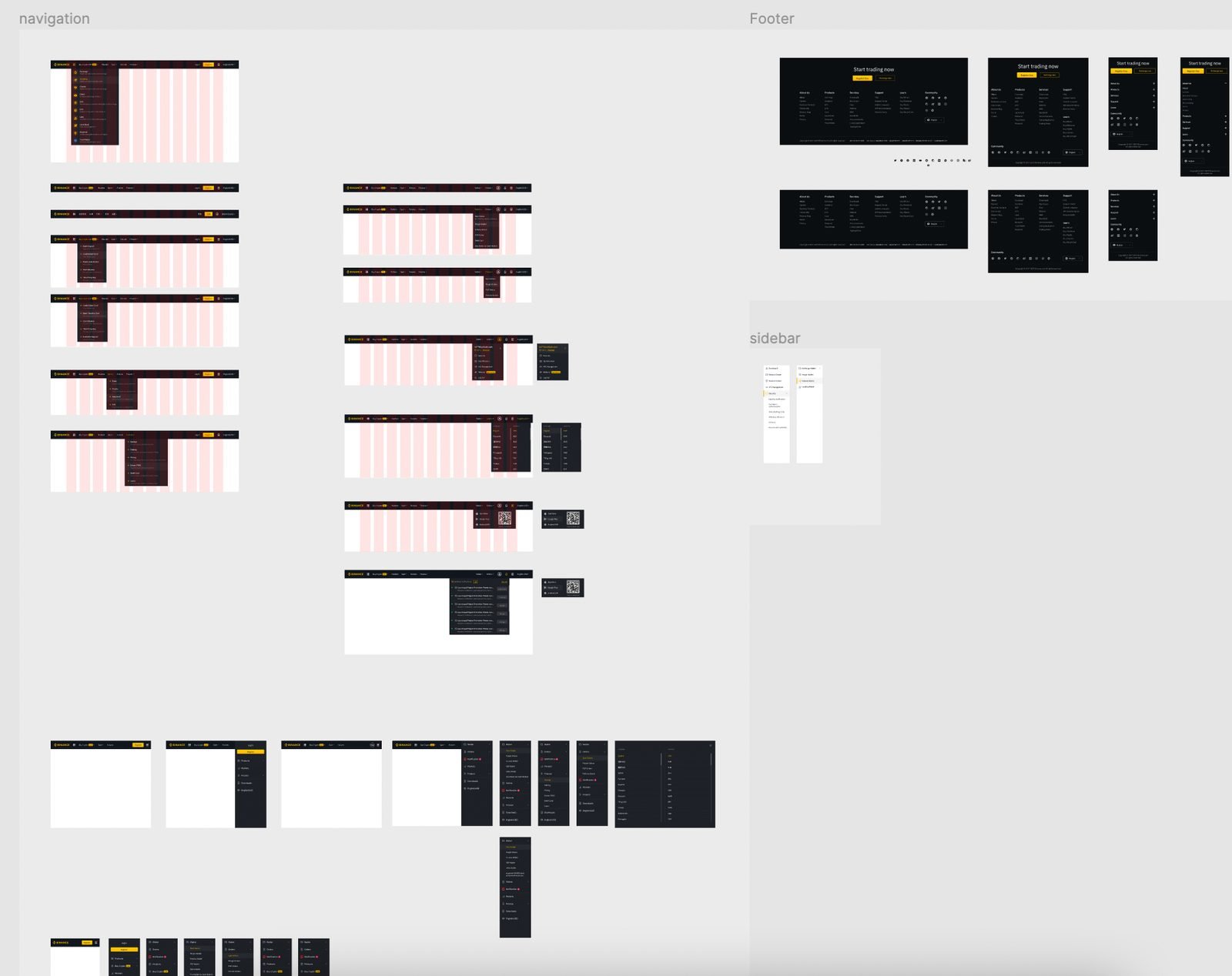
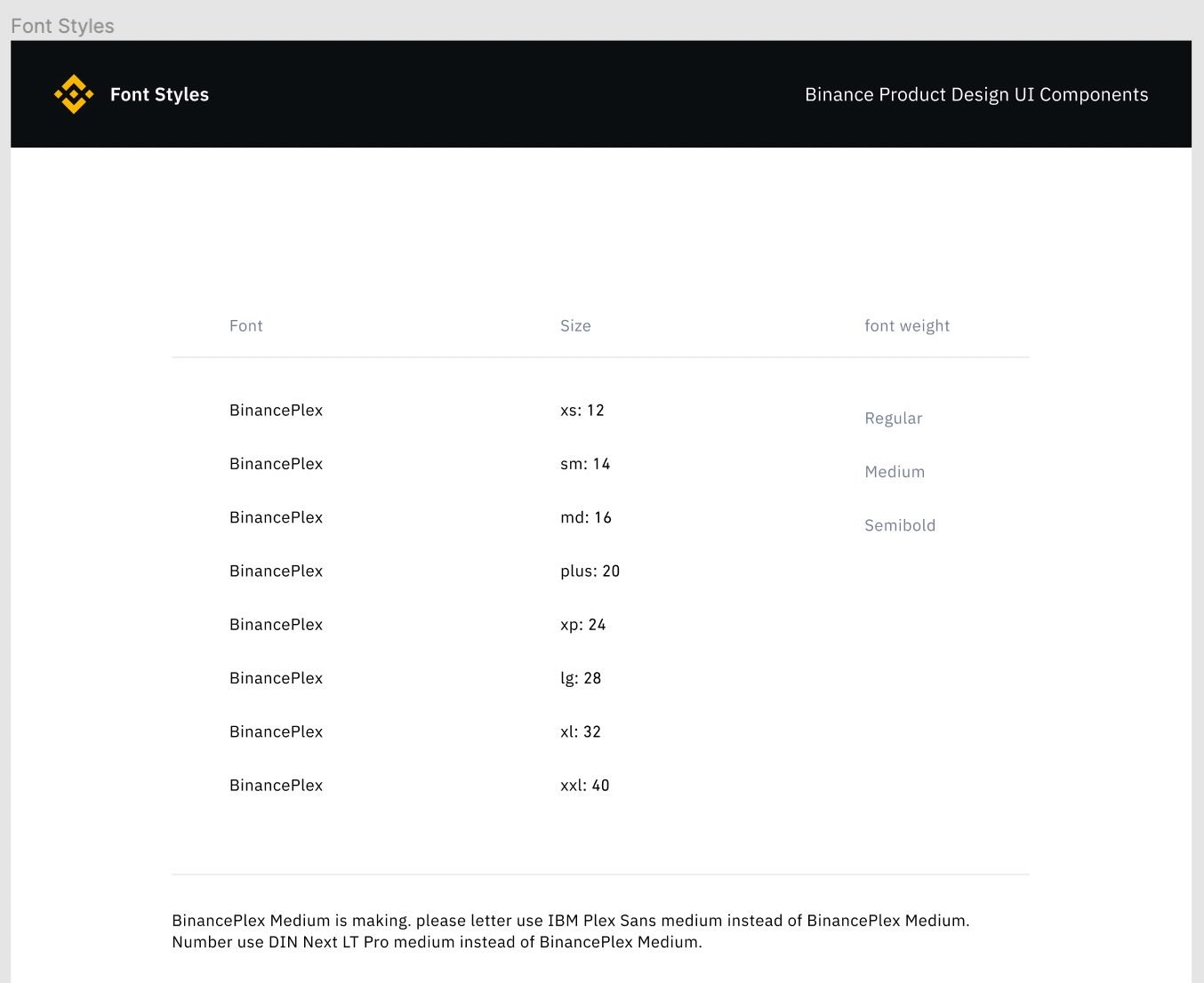
Binance had been using Din Next, which supports many languages but misbehaved in the library — spacing and padding drifted. We designed our own typeface, Binance Flex, to fix it at the source.
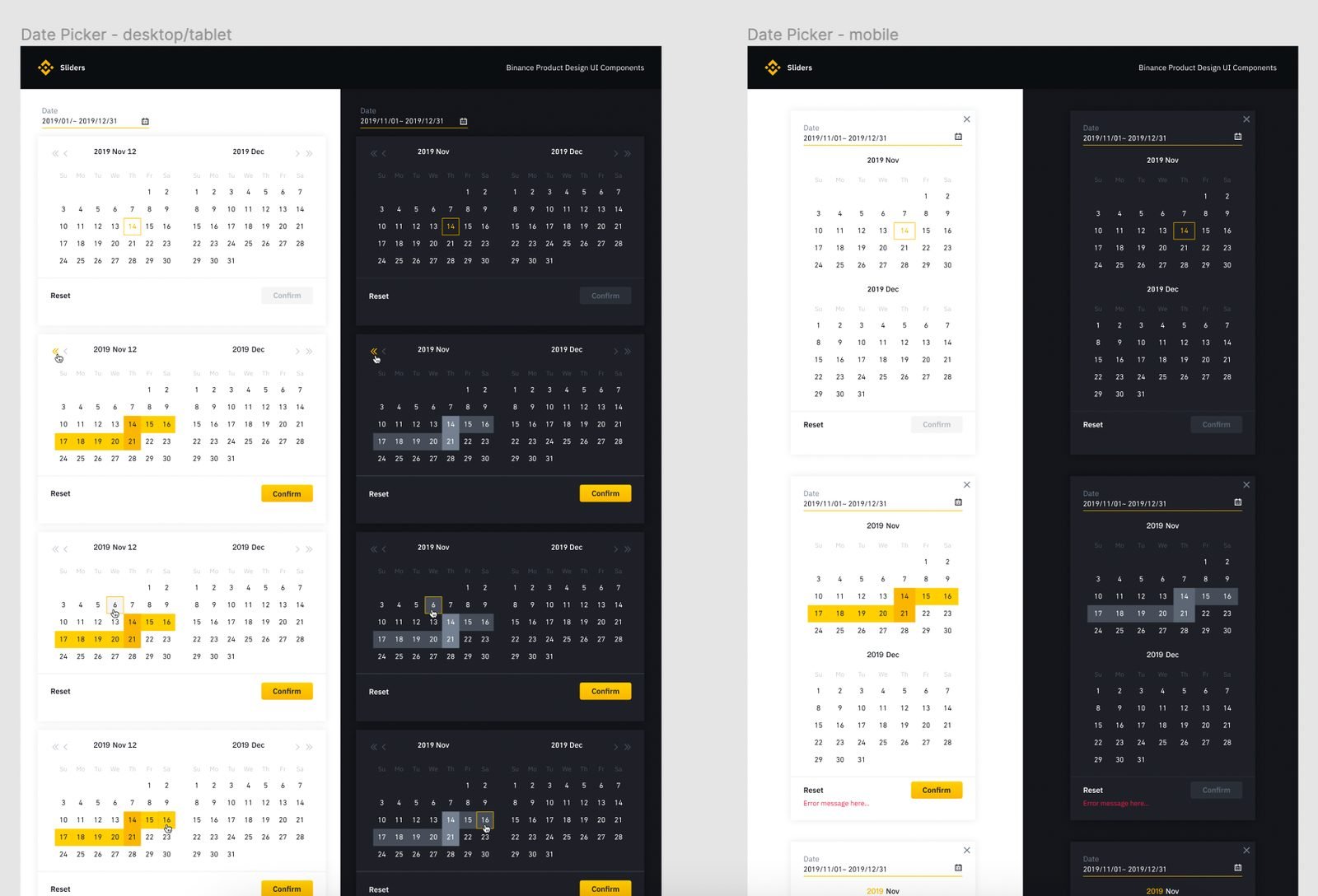
Components in both modes
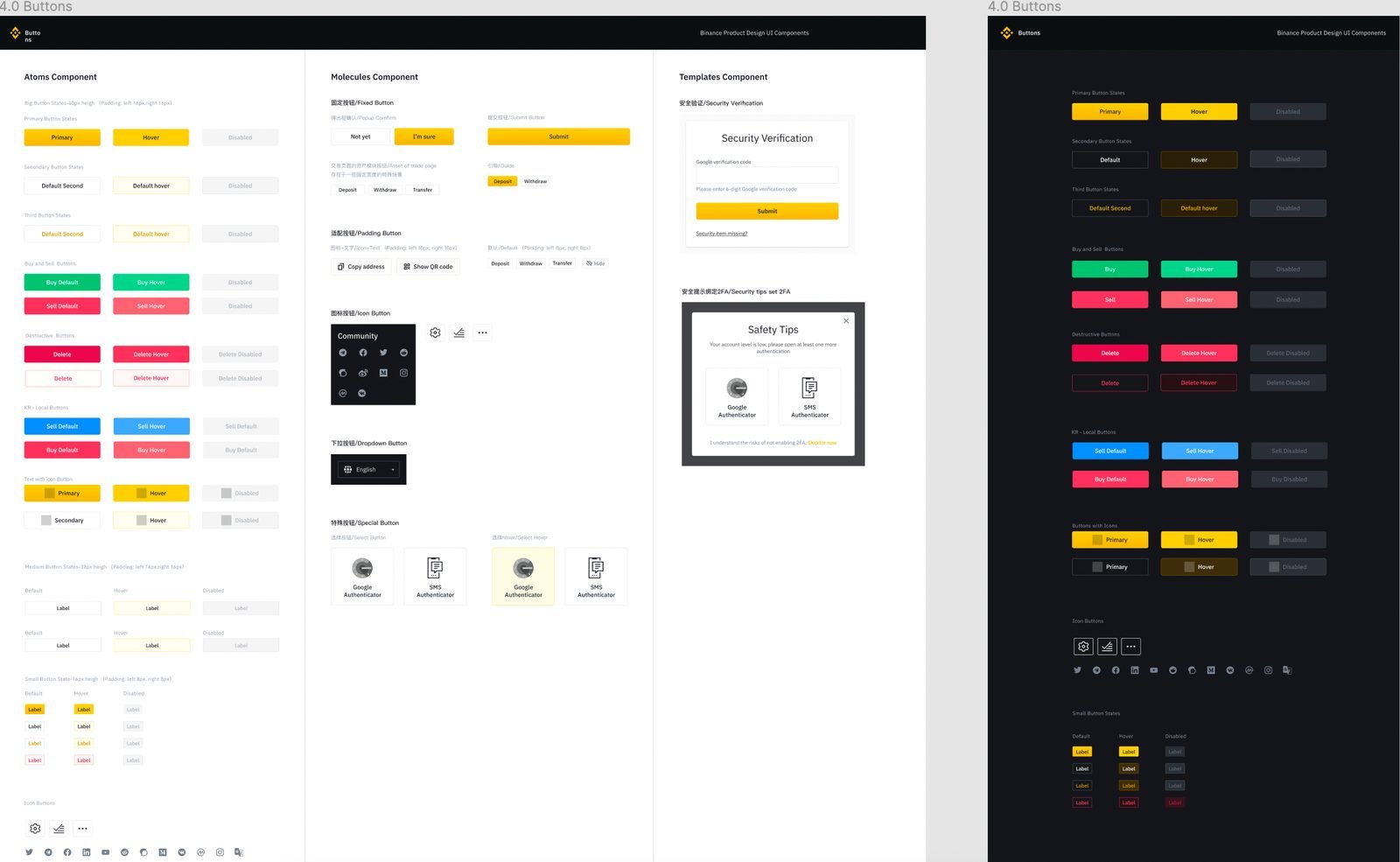
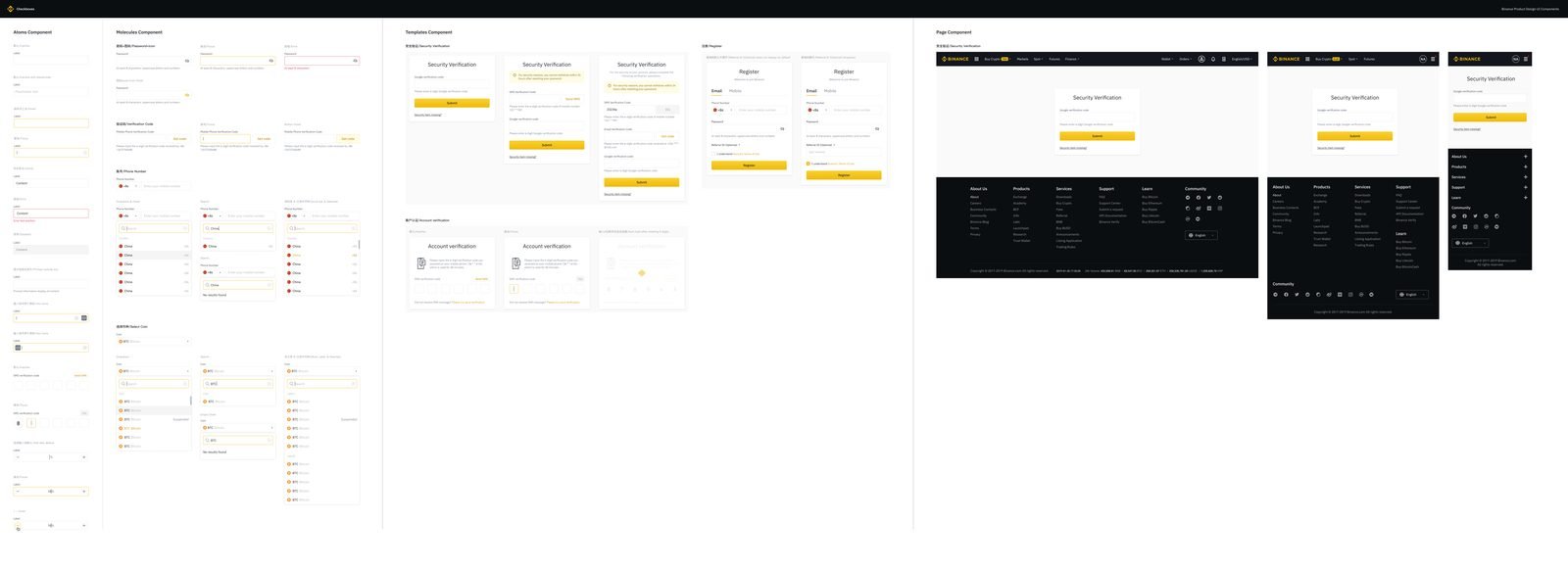
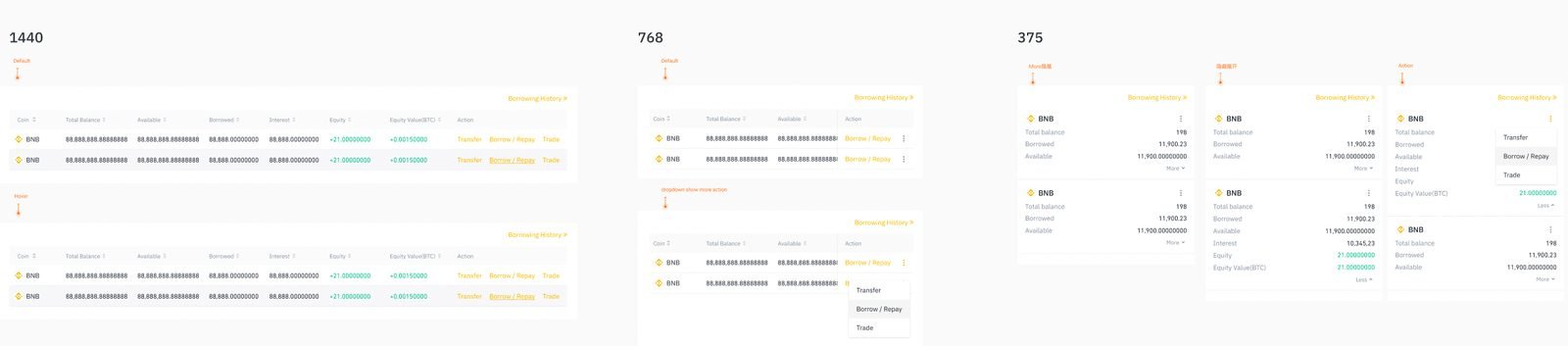
Every component was designed for light and dark from the start. Each detail was documented in Figma, converted to Storybook, then to the website; development was tracked on GitHub so the UED and front-end teams stayed in one conversation. The system was built in React and Sass and included the CSS/Sass I wrote while documenting the components.
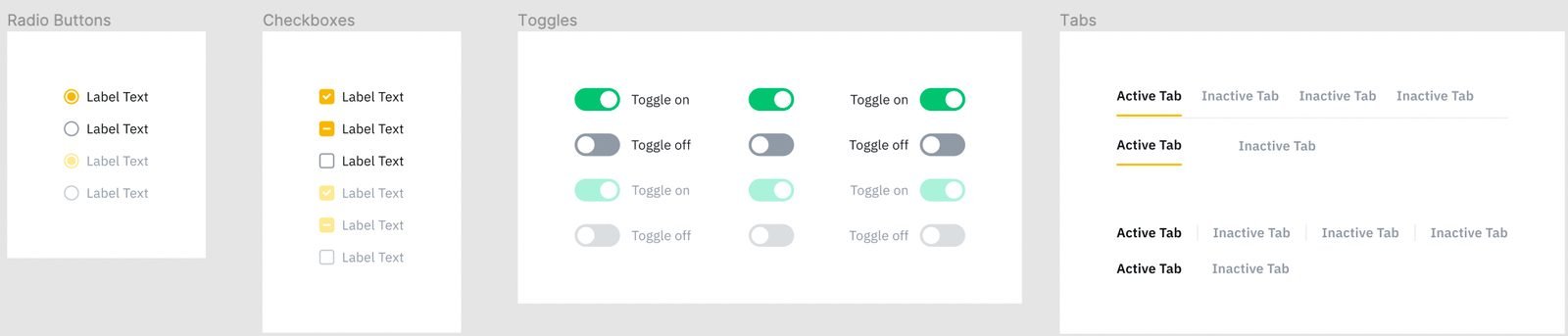
Light mode.
Dark mode — designed at the same time, not retrofitted.
Chapter 3 · Flows
Binance.US 2.0: research first, then redesign
Role: UX and UI owner in a team of 3 product designersTwo questions framed the project: where does Binance.US sit in the UX ranking of mainstream exchanges, and what do we do about the dashboard everybody complained about? With few US-legal platforms to compare in 2020, we tore down six UK exchanges that were also our real US competitors — Coinbase, Kraken, eToro, Bitstamp, Blockchain and Luno — clicking through signup, fiat deposit and withdrawal, and comparing KYC, limits and overall experience.
What the teardown said
- Fiat deposit and withdrawal were competitive thanks to Clear Junction — but KYC was decidedly not: signup asked almost nothing, so the whole verification burden hit at the moment a user wanted to move money, followed by hours of waiting.
- Binance had everything for everyone, organised around crypto-to-crypto activity (spot, margin, futures wallets). Meaningful for traders; noise for a newcomer.
- Recommendations: a Deposit now button (eToro and Blockchain do this well), localisation by IP, a clean split between retail (deposit, buy, sell) and professional (futures, options, margin) like Coinbase Pro and Kraken Futures, “Funding” instead of “Buy crypto”, and the removal of duplicate paths and legacy partners.
The dashboard nobody could find
I interviewed 12 users — 8 experienced, 4 new, recruited by email from more than 2,000 and screened by experience and state — following Jakob Nielsen’s argument that the first six users surface roughly 80% of the problems. Interviews plus card sorting answered three questions: where does the dashboard fit in the journey, what do people want on it, and how can it help them trade?
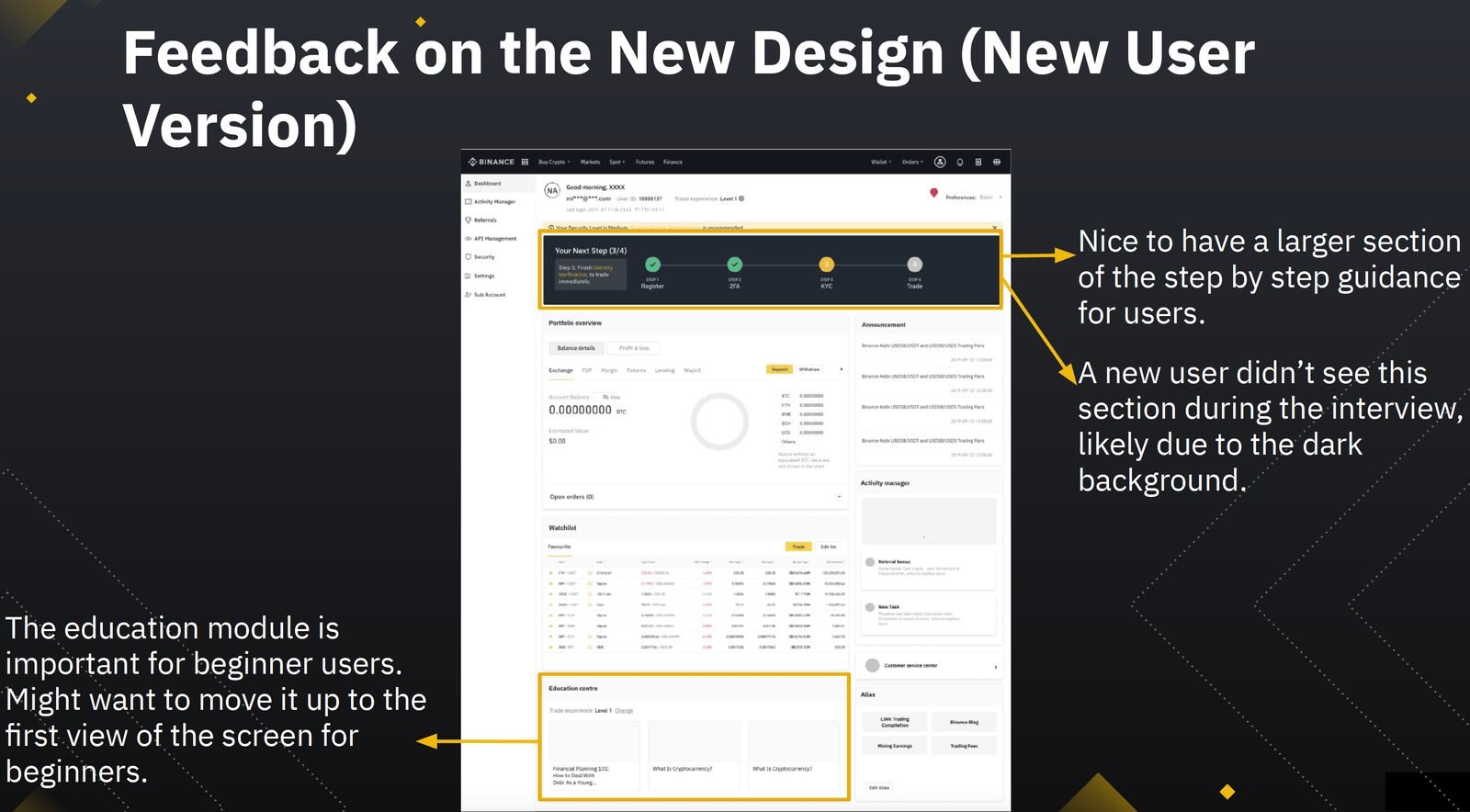
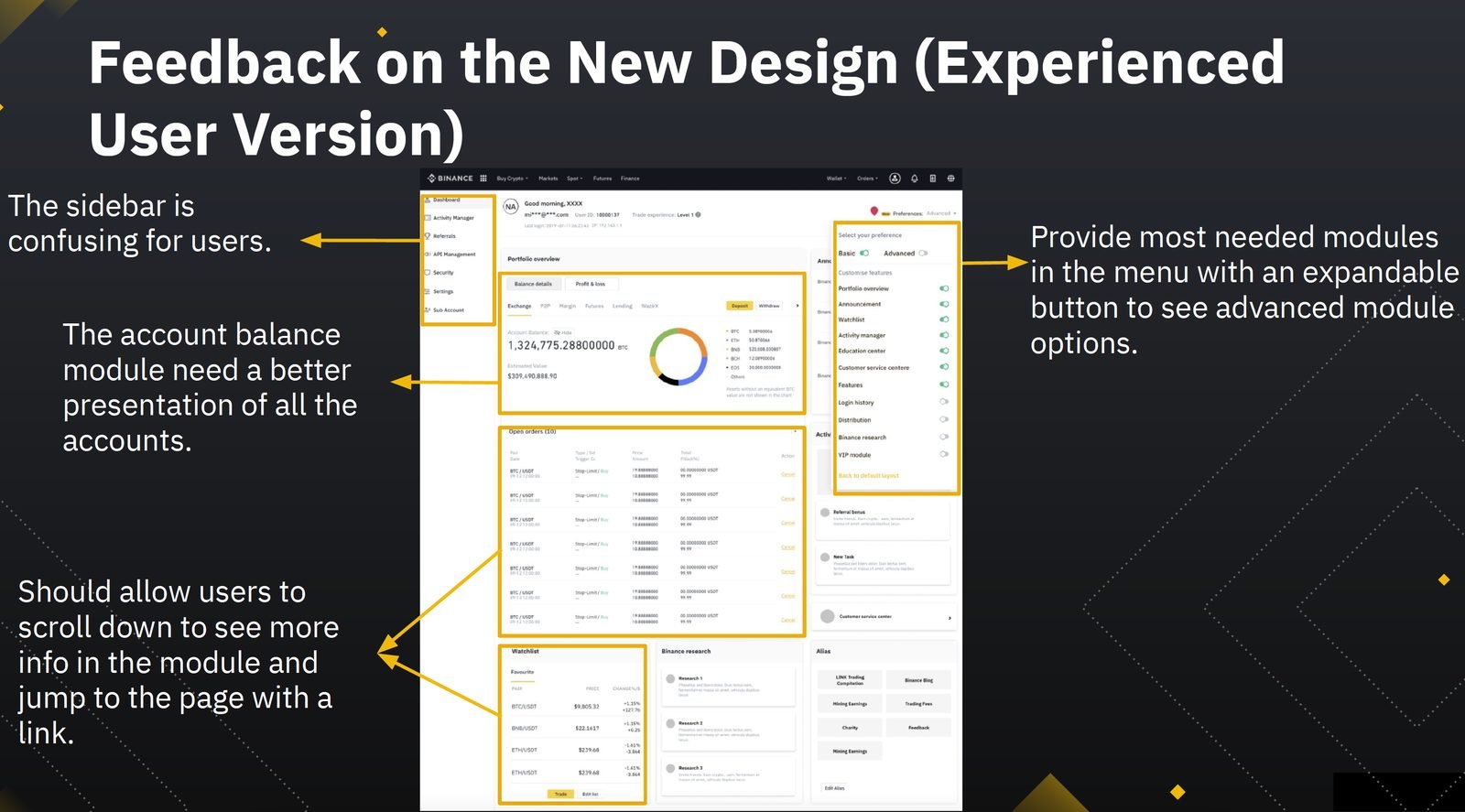
So the fix was discoverability and personalisation, not content: rename it Account to match the mobile app, remove the email address from the dropdown that hid the entrance, land users on it after login, and let experienced users pin their balance while beginners see guidance and educational content.
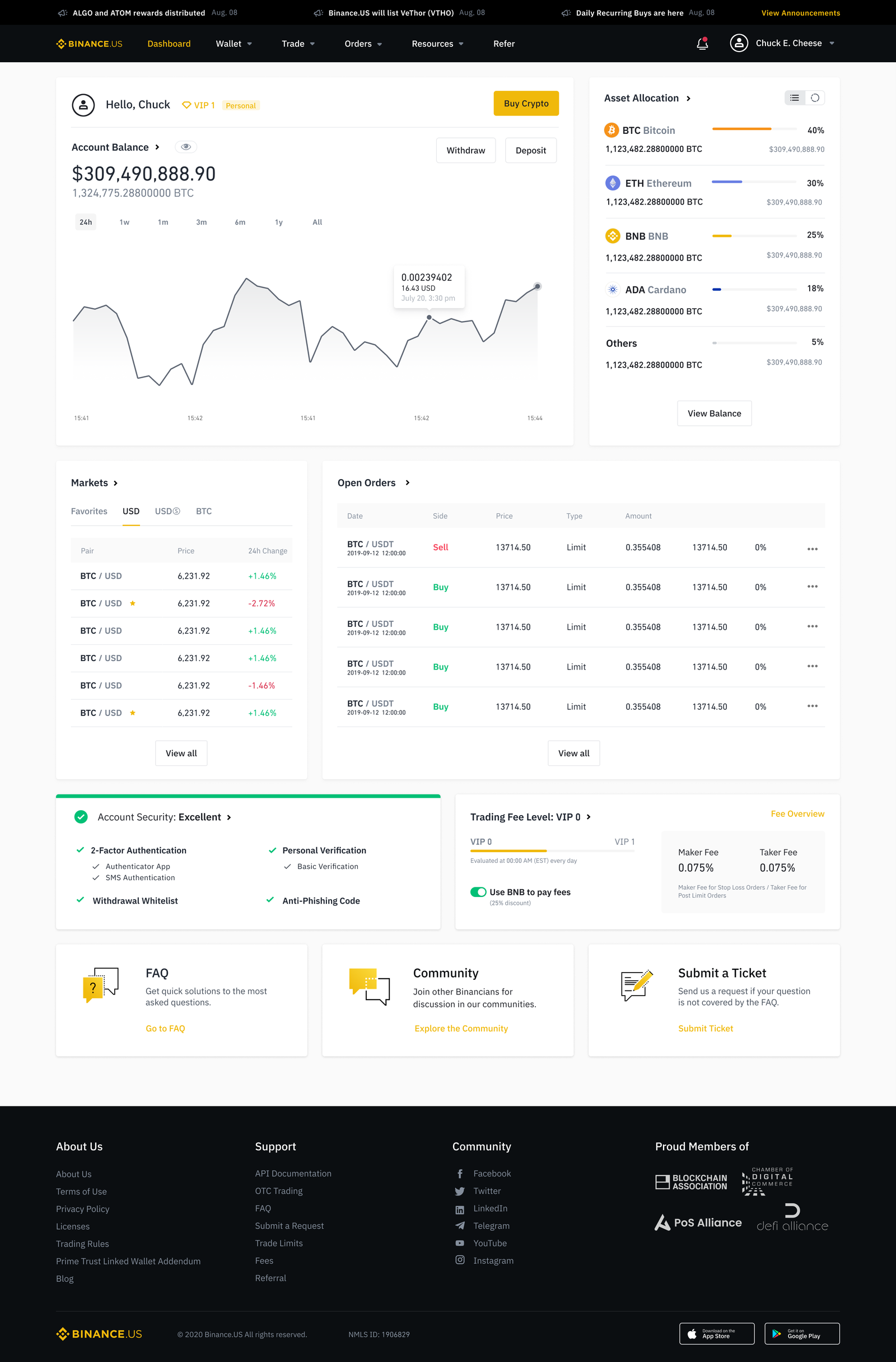
Redesigning web and app
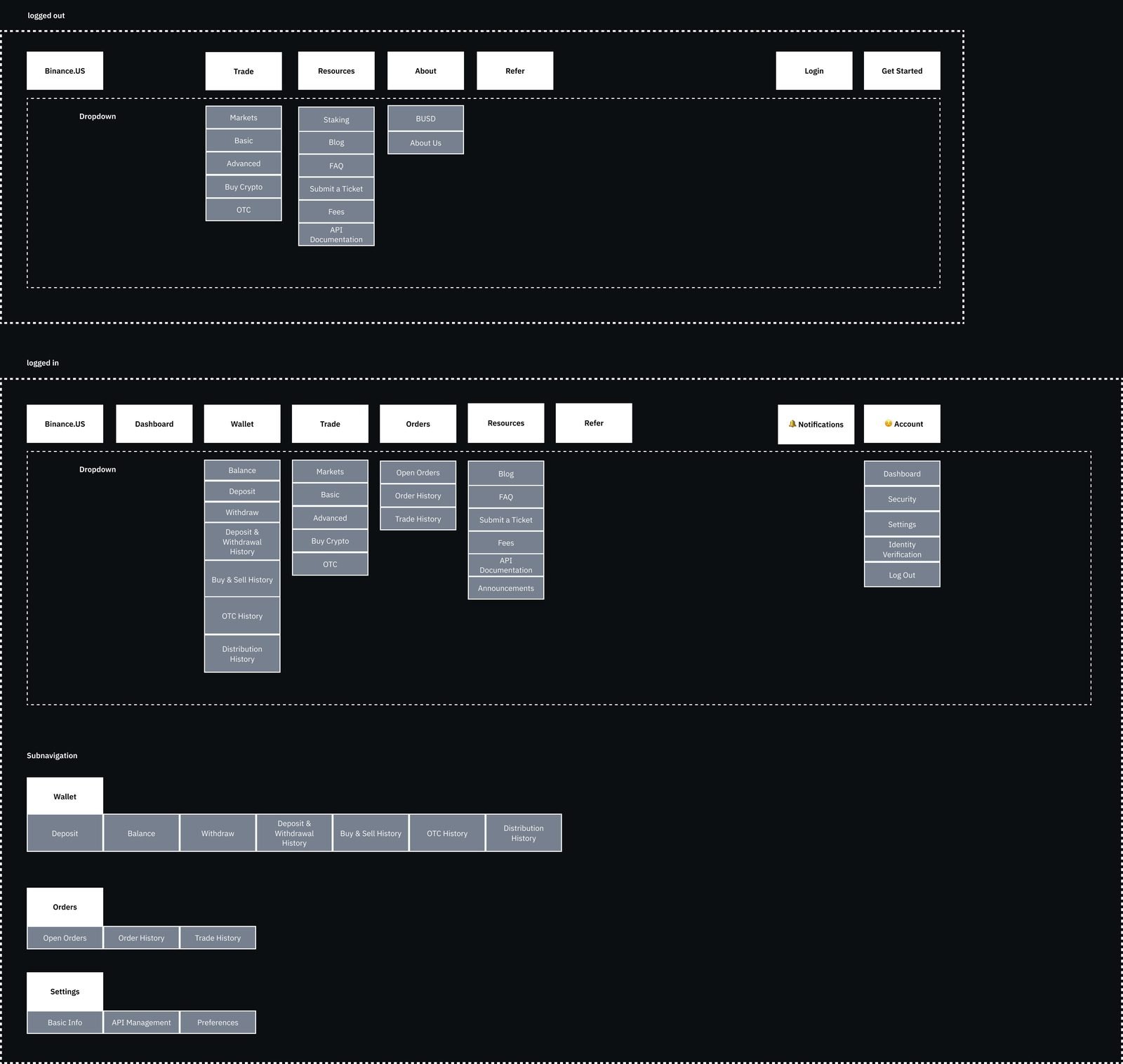
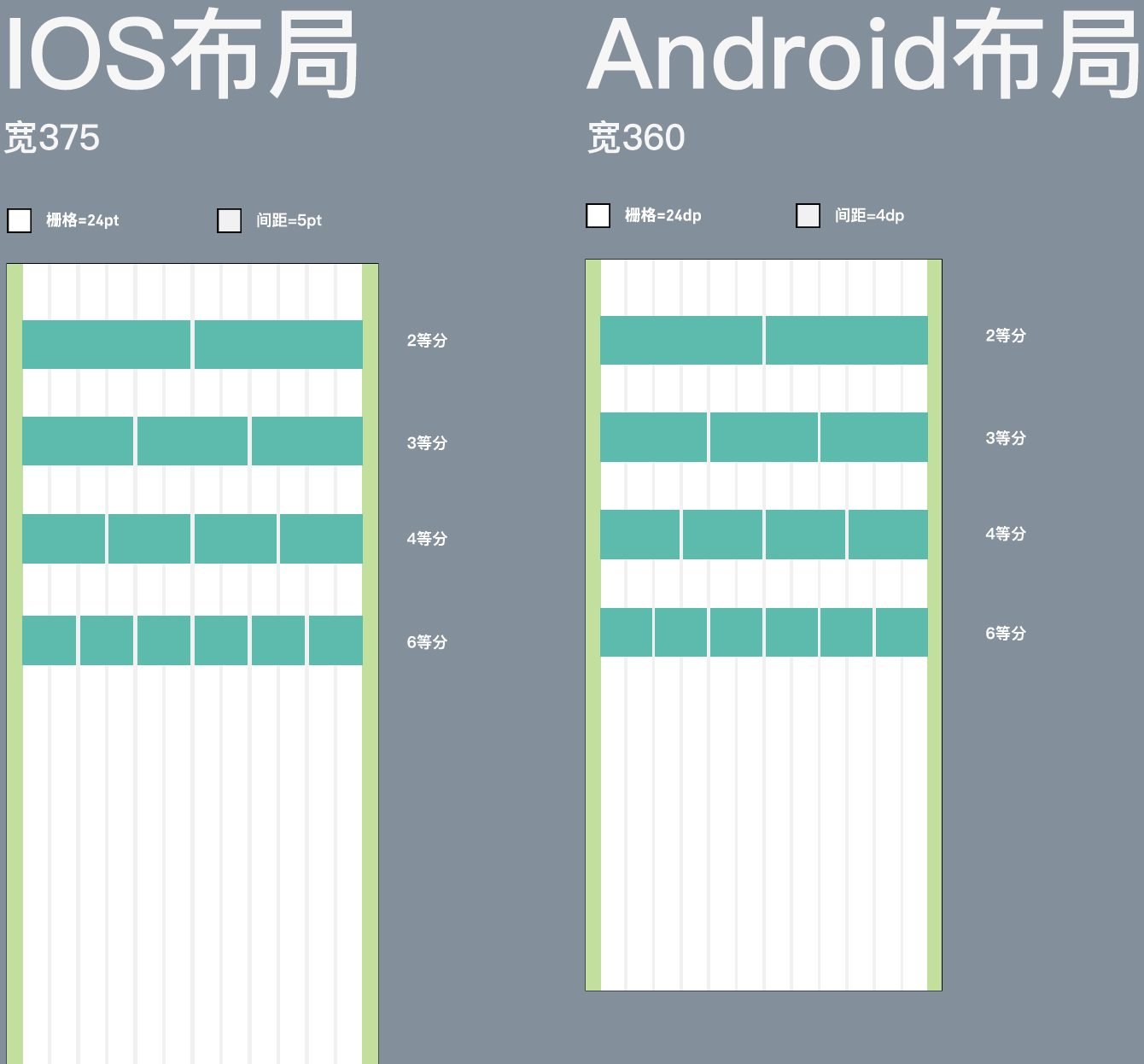
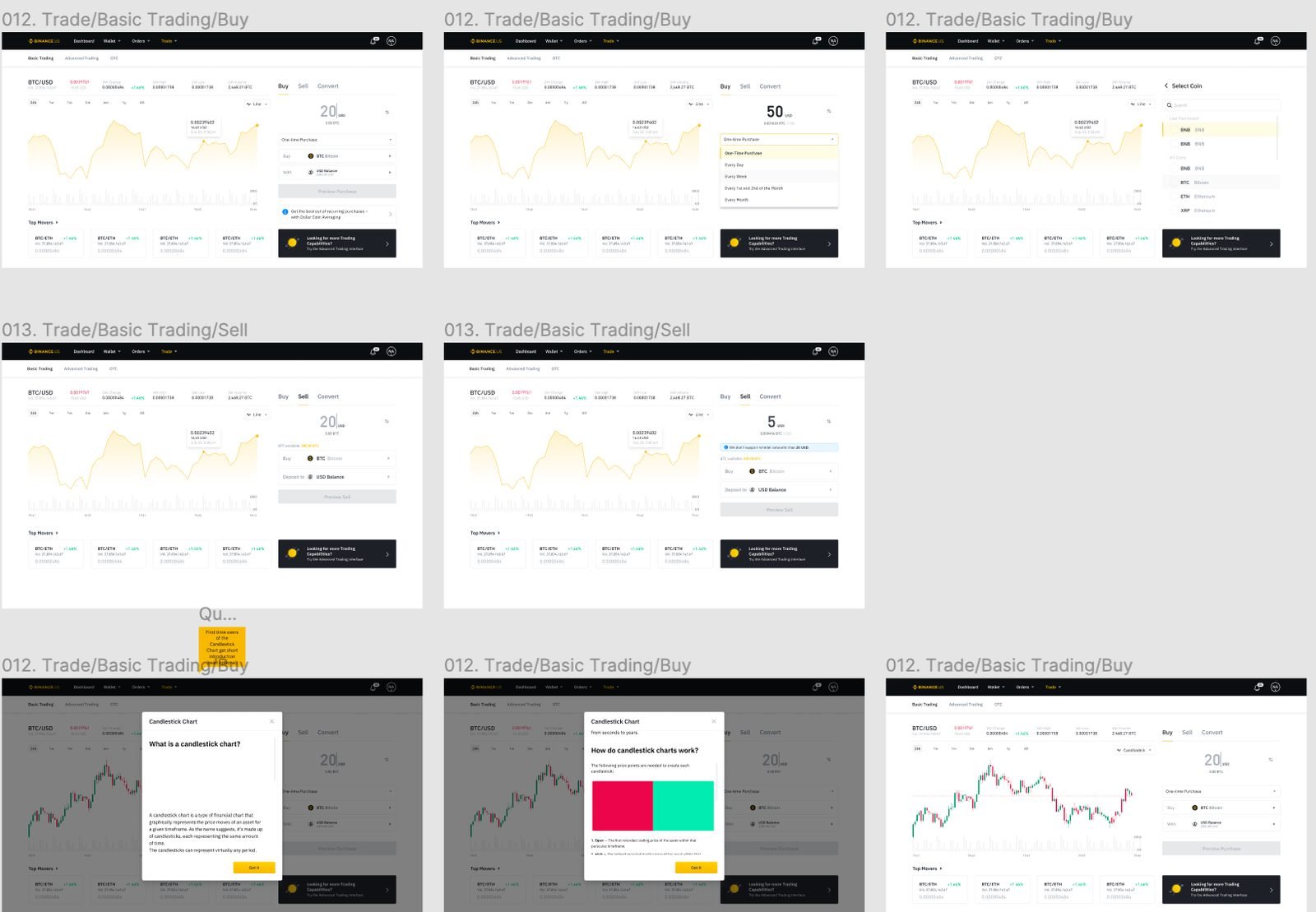
With the design system in place, 2.0 was a UX project. The flow principle: functionality always visible, never obstructive — so the core functions moved into the app’s bottom navigation and the web header became more explicit. We then agreed new spacing and colour rules for both surfaces.

Outcome
Live in the US, on web and iOS
Binance.US 2.0 shipped on the web and as the iOS app. The redesign, together with the new wallet structure and dashboard, boosted Binance.US web traffic by 200%, largely from mobile users, and raised engagement. The design system became the shared library for the cross-platform product; the content style guide became the reference for web and app copy across teams.
Alongside 2.0 I also worked with external developers to rebuild the Binance.US help centre — categorising tickets, adding tutorials and question-specific FAQs — so the questions the redesign couldn’t answer on-screen had somewhere to go.
Reflection
What I took with me
The dashboard was a discoverability problem, not a content problem
Everyone had opinions about what it should contain. Twelve interviews showed most people had never seen it. Fix the path first.
Systems stick when non-designers use them
The design system’s real success metric was PMs building wireframes with it. That is what freed designers to work on experience.
Words are UI
The guide’s dialog-and-button rules changed more screens than any component. Copy consistency is the cheapest form of design consistency.
What I’d do differently with AI today
- Lint every string against the style guide with an LLM — casing, contractions, terminology — across 25 languages, on every pull request.
- Cluster the competitor teardown and the 12 interview transcripts automatically, then spend the time on synthesis instead of transcription.
- Generate the dark-mode variants and platform-specific layouts from tokens rather than drawing them twice.
Curious to know more?